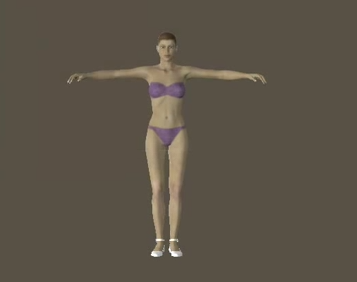
Author Archives: terencemquinn91

Unknown's avatar

About terencemquinn91

Artist involved with Mixed Reality integrated with physical art installations. MA Fine Art Digital (Distinction), and Visiting Practitioner at UAL.

Show Time for Vanessa

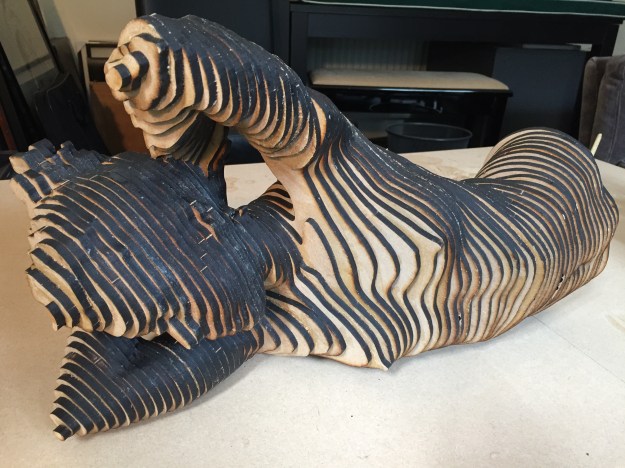
After a frenzy of activity ‘Vanessa’ took her first steps into the daylight. She only just made it to her first date.

Five days before, and with only half her head assembled, I committed to taking her on our first outing to the MA Fine Art Digital Pop Up Show. This took place on 25 November, the end of my first term at UAL, Camberwell.

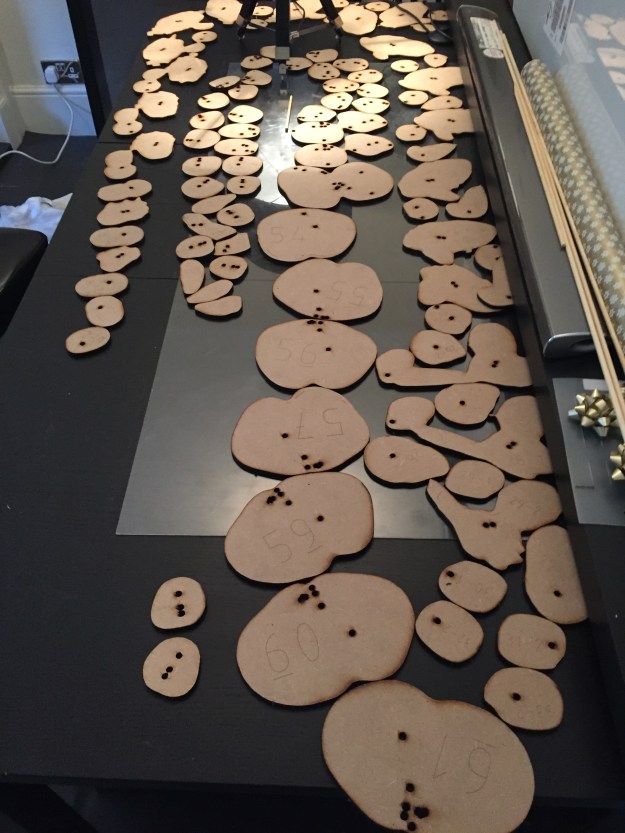
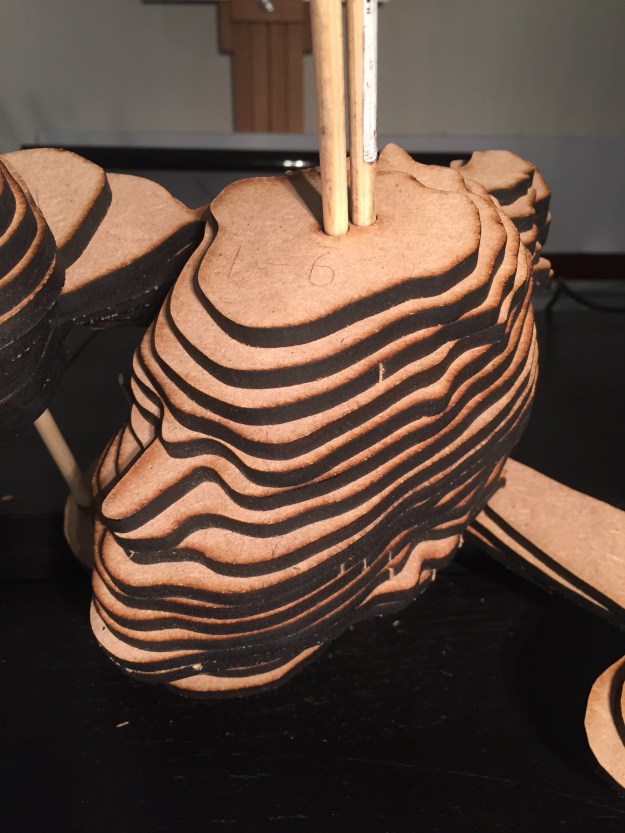
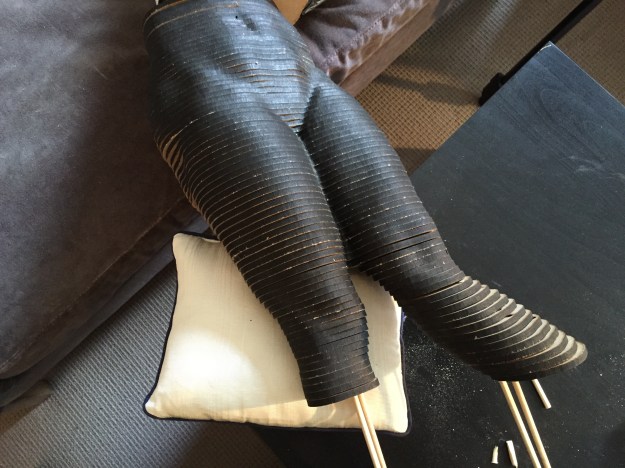
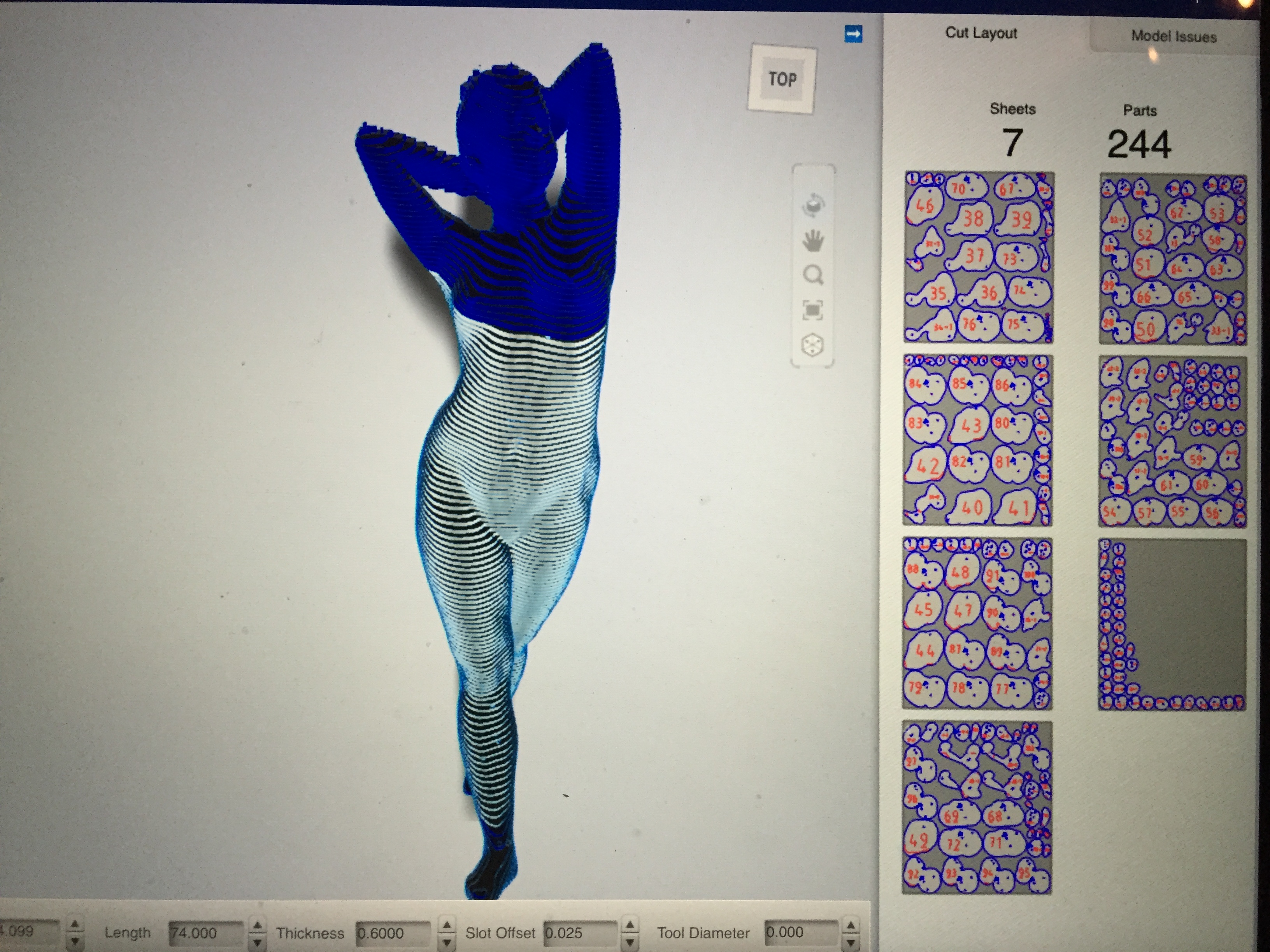
Until the show ‘Vanessa’ was barely out of my sight. My sole obsession became laser cutting, sequencing a jigsaw of 244 cut pieces, and gluing them together in the right order. My hands were a mess. After several mishaps – spilled glue in my study, knocked over tea, amputation to re-glue her legs the right way round, she was finally ready to go out into the World.

My wife’s light hearted response to each mishap was”you were never very good at DIY were you?” – but she was very impressed with the finished sculpture. The reaction of the real Vanessa, the life model for this work,  was “Wow!!!”. I was happy, but what would my colleagues think of it?

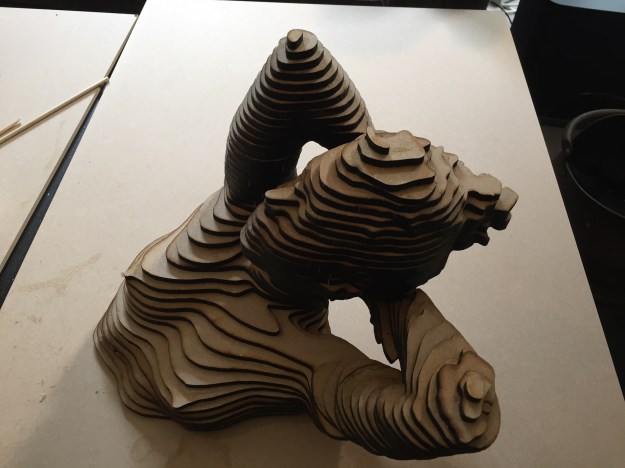
On the morning of the show I drove to Camberwell with ‘Vanessa’ sprawled across the back seat of my car. A one metre tall sculpture in solid MDF is very heavy – and I was sure that the amputated leg I had glued back on the night before would fall off before she arrived at Peckham Road. I was relieved that she made it in one piece and laid her down very gently on the display table. Here are some photos. I hope you like them.

image

IMG_0281

IMG_0614

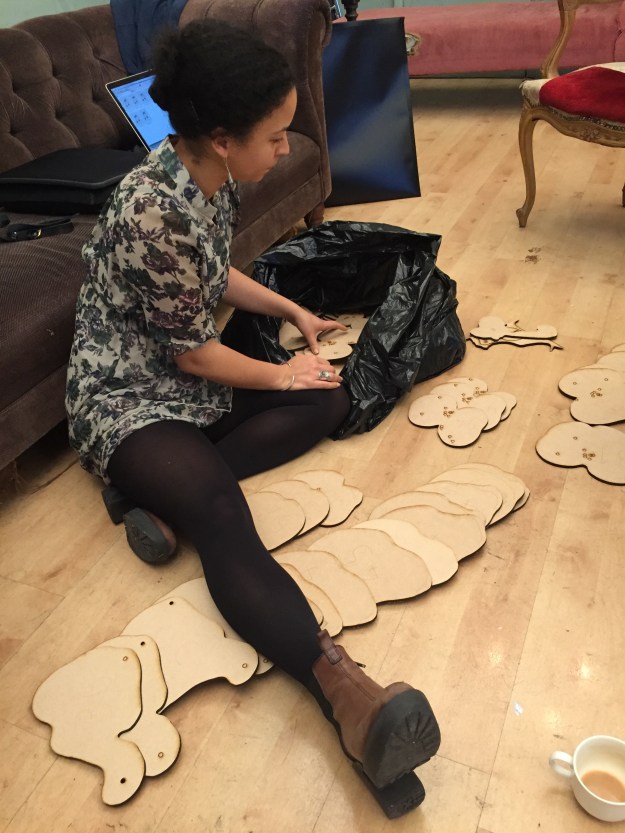
Vanessa helping assemble the sculpture of her

IMG_0582IMG_0726 (1)

IMG_0727

IMG_0626

IMG_0750 (1)

‘Vanessa’ is now on top of the  bookcase in my study and my ‘first MA’ is complete!*

(*referring to Jonathan Kearney’s reaction to my study proposal – Terry you have 5 MA’s there!!)


Getting Physical

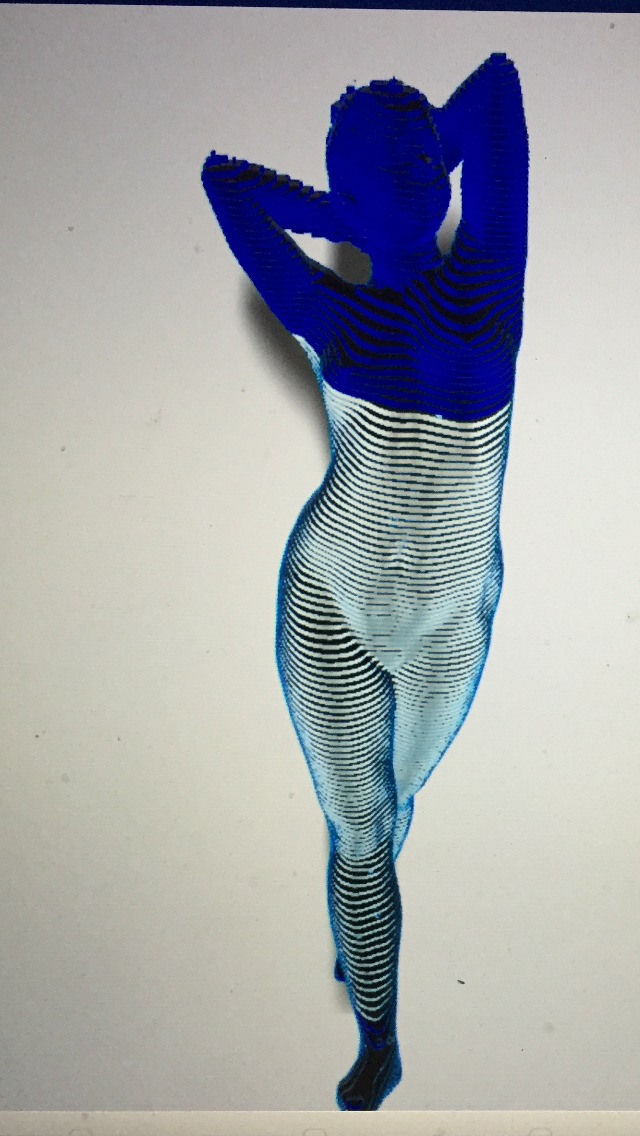
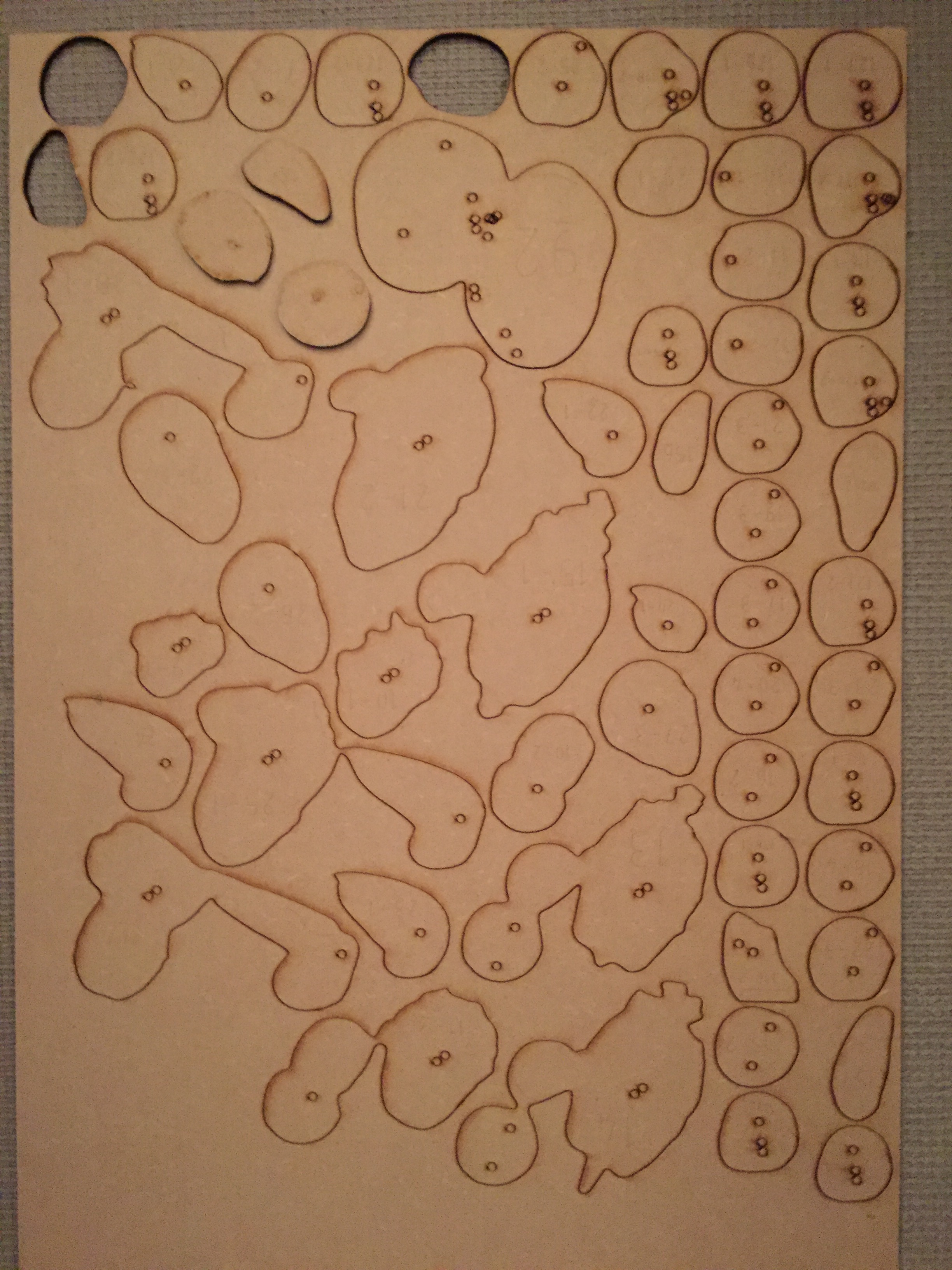
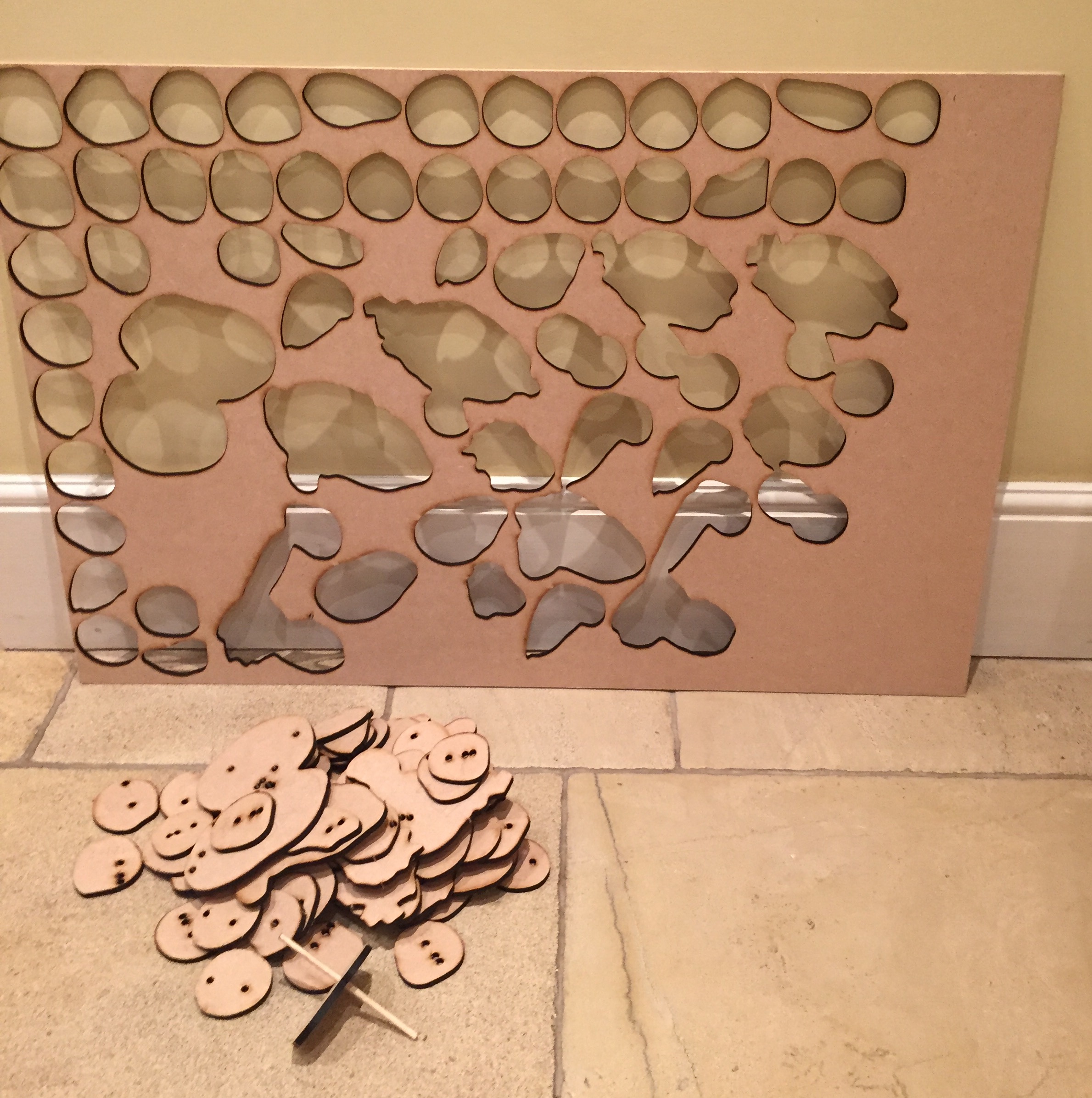
One of my projects (number 2) took its first step into the physical world today. I now have the first pieces of the jigsaw in MDF to make a one metre tall sculpture of Vanessa Standing. Each sheet takes about one hour and twenty minutes to cut.

IMG_0098 IMG_0097

Next I need to check that the transfer of my computer model to the laser cutter worked as it should.

There were a few hiccups which Gillian Duffey resolved for me (Thank you Gillian). The transfer of my scanned model to the laser cutter input involved a couple of scaling issues. The first one was my fault as I defined the dimensions of the MDF sheet incorrectly as it did not match the physical sheet. The second was not. The laser cutter system automatically reduced the scale of my model by 1000% and had to be adjusted.

IMG_0107(1)

There were some other issues caused by Autodesk 123D MAKE. It left gaps in some of the pieces, and in the drilled holes for the dowels that bind the sculpture together. Fortunately the former were too small to affect the cutting of the pieces, but unfortunately it did not allow the dowel holes to be anything but marked out on the pieces themselves rather than cut through. I have yet to work out what to do about this. Perhaps I will just use them as markers to position the pieces and glue them together without the dowels.

Finally the edges of the cut pieces are dark brown, almost black. This is normal for the laser cutter when applied to MDF or wood. I did not know this before. Alex May recommends that Projection Mapping works best on a very light gray surface. I will have to consider this too. I will carry out a Projection test later and if it does not work well then I will have to spray paint the pieces before I glue them together.

I can now move on to making Vanessa’s head. Or at least I will be able to do so when Gillian cuts the second already prepared sheet. Hopefully this will be ready on Wednesday.

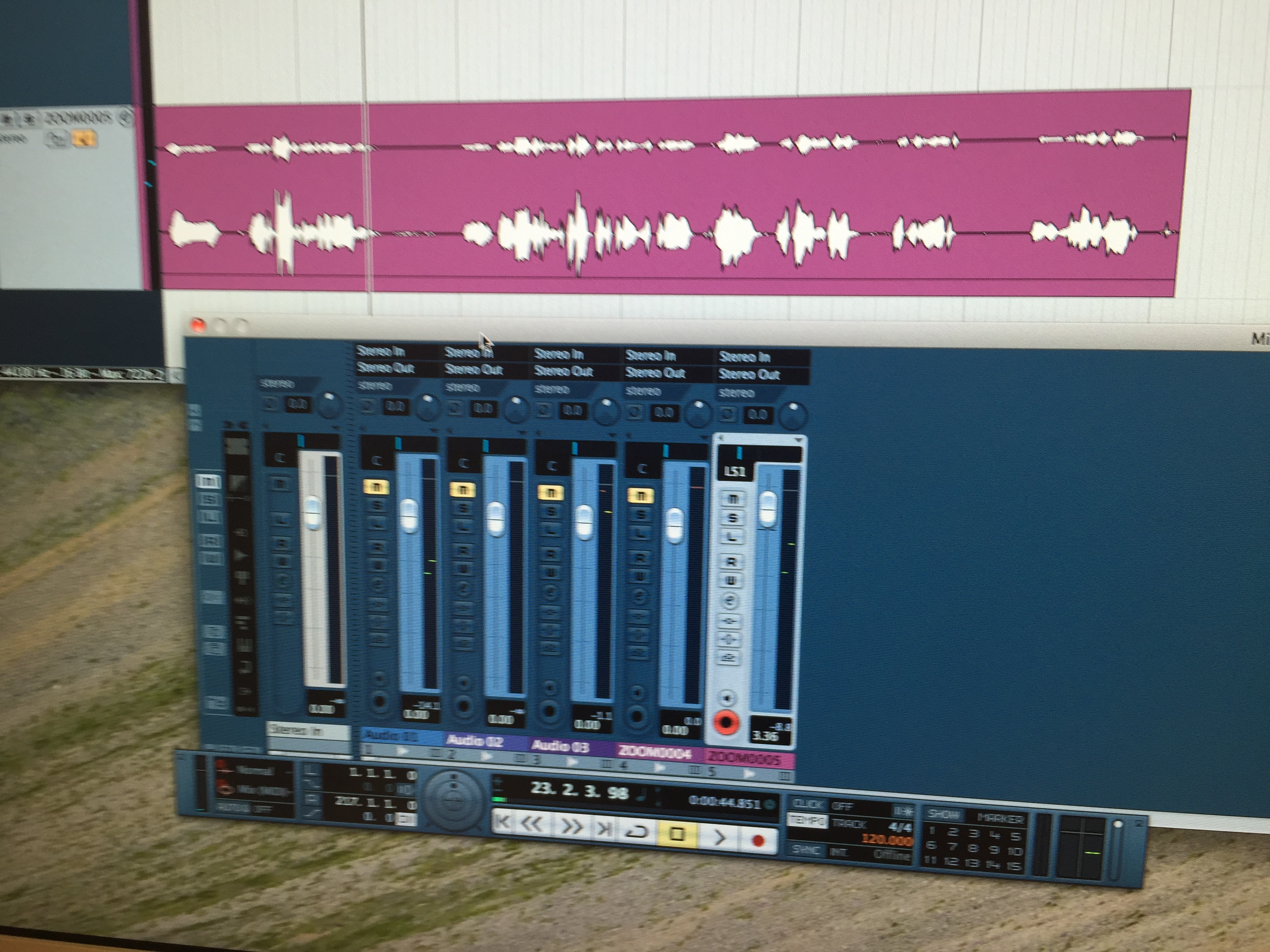
I also made progress with my other project (number 1). Tim Harrison in the Digital Media Department helped me to see which were the best recorder settings from the tests he recommended previously, which I carried out last week. He also split the recordings into two short pieces on two SD Cards ready for my test with the SD Card Readers attached to the Arduino (Thank you Tim). It was important to remember that whilst the recordings were made in MAV format (the best option) the SD Cards needed to be in MP3 as that is what is expected by the pre-programmed Arduino from Bare Conductive.

IMG_0099(1)

I am now ready to test a mini canvas using Conductive Paint connected to the Arduino and the SD Card Readers with some of Vanessa’s recordings. I have also given Vanessa some directions insofar as the type of recording required, as we now have almost enough reflective material. We need some recordings about herself and others relating her feelings towards various parts of her body being touched in the full sized minimalist painting. Vanessa is now working on this for our next studio session on 19 November.

Overall a very successful day.

PS The dowel holes came out OK the following day, and the dowel passed through them easily. So now I only have to see if they line up properly.

FullSizeRender(5)

Gillian emailed and the next sheet with the rest of the parts to make Vanessa’s head are ready to collect tomorrow. So I can now assemble her head and see whether it has all worked out as planned.

Only 5 more sheets to go and I will have all 244 parts ready to assemble into the full one metre high sculpture.

In Conversation with June Mendoza

Yesterday I met June Mendoza at a party. I had the opportunity to talk to her for 10 minutes before she moved on to speak to our host. She had a narrow escape as I would have kept going for longer. But I guess she saw that coming!!

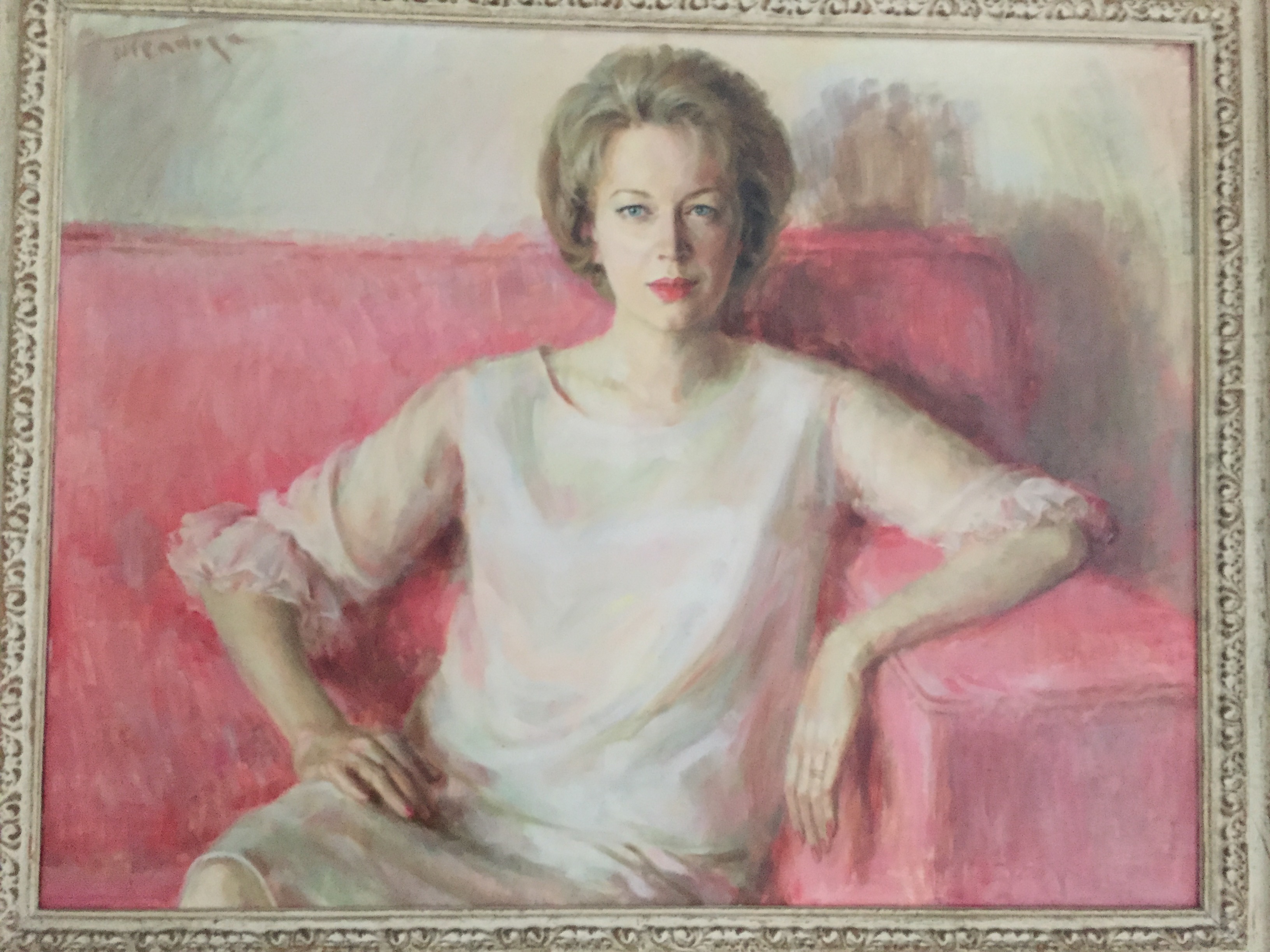
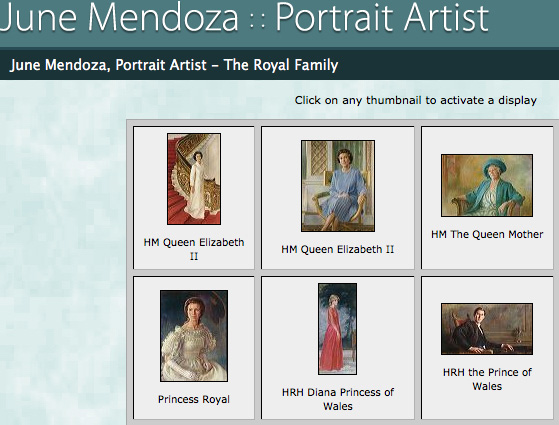
June Mendoza JW by June Mendoza June Mendoza Royalty

I must admit that I knew June was going to be there as I had seen the guest list. She had also painted the portrait shown here which I had seen many times, of our host 50 years ago on the occasion of her 40th birthday. Now my lovely mother-in-law is ninety (well not quite, not until 11th Nov).

June has painted many famous faces. She works mainly in oils and has not used digital. If others work from photographs she is of the view that the exercise is pointless “May as well stick to the photo”. She takes a lot of care choosing the right clothes for the portrait even going through their wardrobes beforehand – including Princess Diana’s. “Taking note of their expressions and body language to bring out their character” is important.

We discussed Stephen Farthing’s assertion that the difference between drawn art and computer art is “truth” (see my earlier blog). I was seeking reassurance that my intended digitally inspired works were truthful. June said that what you see and observe is “truth”, and “if the subject moves, stop”. She advised me to spend 3 weeks in a cafe observing and drawing the character’s I saw there.

And then she was off. I was left reassured that as long as I observed well and drew from life, that my work could be truthful.

That at least works for my first two projects.

Not sure that it does for the others, unless I take my scans into the studio and draw over them from the model in front of me in the same position. Will I ever get to that level of proficiency with the graphics tablet and pen? To even attempt that I would also have to get a very expensive Wacom Cintiq Companion 2, which allows you to work independently from your main computer. Sadly I cannot afford one!

Following in the footsteps of Antony Gormley

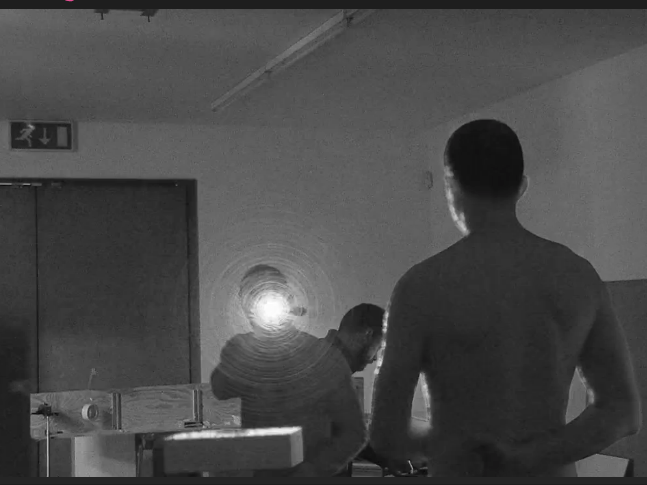
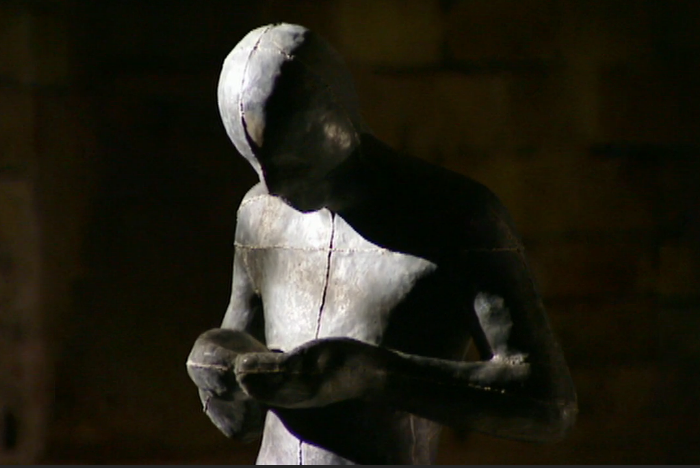
Antony Gormley’s iconic sculptures have until two years ago been made from plaster casts of his own body. Not now. Of late, he uses a scanner and a computer program. I only found out this week when I saw the BBC Arts program ‘Antony Gormley: Being Human’ (BBC Imagine – Series 28-2, 4 November 2015, An interview with Alan Yentob).

I thought that I was the first to try this approach. But perhaps being second (or so?) is not too bad. I am heartened. Not disappointed. I feel that my approach is validated, even if it is not so new for creating sculptures of the human form.

However, Antony Gormley’s set up using an infra-red scanner is VERY expensive. My methods use only recently available technology and devices that whilst not cheap, put the possibility of using a similar approach into the hands of the ordinary mortal. So regular artists’ with less deep pockets can explore this approach in their practice. And that is new. So I am happy that I have at least introduced some innovation into this piece of work.

Antony Gormley Scanned

Antony Gormley – Scanning Process

Antony Gormly Figure Sound

Antony Gormley Installation – ‘Sound’

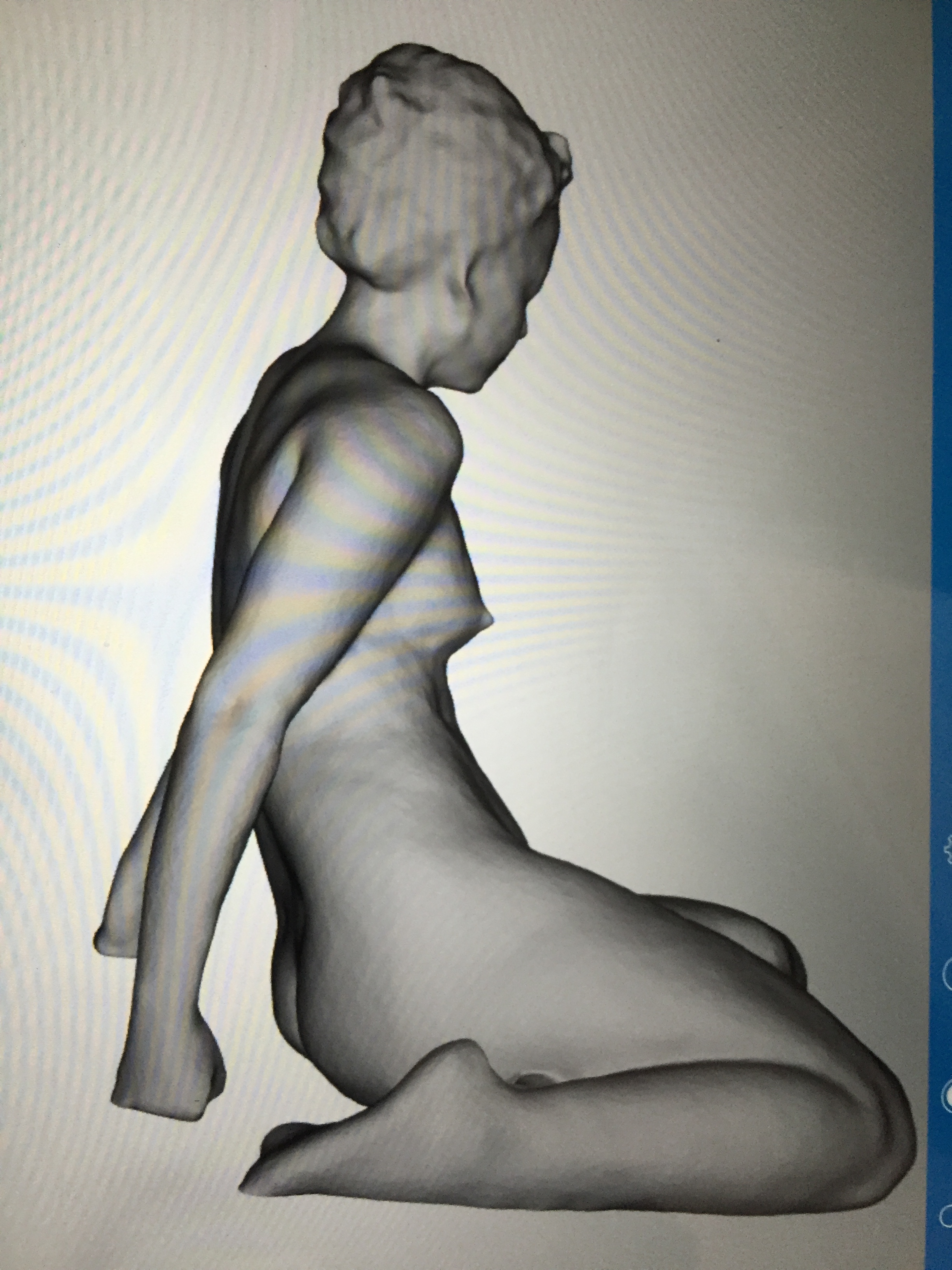
Here are some of my scans, taken in the last week, of my life model, Vanessa. I have made a video clip of the standing pose so that you can see it rotated through 360 degrees:

Vanessa seated

For Project 2, I made files of these scans for input to the Camberwell Laser Cutter and have checked that these are acceptable. On Monday, I will be testing them out, using  a couple of A1 sized sheets of MDF to see whether the process works, before I go ahead and produce the whole sculpture. I will be doing my final scans on 19 November, so I expect to produce the full sculpture during next term, ready for the MAVA Fine Art Digital Exhibition in July.

I also now have all the ingredients I need for Project 1: Over an hour of recordings made by Vanessa, both in the studio and at home; Photographs and Scans of her in various poses; the BareConductive Arduino Pre-programmed for playing MP3 clips; some Conductive Paint: and a couple of huge life sized canvasses (6 x 4 feet). There will be more recording and scans and it will be very interesting to review them all and decide which to use.

On Monday I will work in the Camberwell Sound Studio to study my test recordings and to cut a few test SD cards for the Micro Card Readers. These will be attached to the Arduino at the rear of the canvas, connected by wires through the canvas to the Conductive areas on the Painting. I intend to visit BareConductive in London to learn more about how to use their products in my project. I will then conduct a concept test at home, before turning my attention next term to actually putting brush to canvas.

It is a very satisfying feeling to see my first two projects, so long in the research and planning stages, at last starting to take shape and becoming a physical reality.

Footnote and Acknowledgement:

Antony Gormley was however Following in the Footsteps of our very own trailblazer, Mr Jonathan Kearney. “Hi Terry. I am aware of the type of scanner Antony Gormley uses. I used one in an art project about 8 years ago. It was extremely challenging to use and in the end we had no choice but to pay someone to stitch together the actual scans of the head as it was a nightmare to piece it all together. The resolution was good but the other problem was that the scanner was the size of a large suitcase and weighed about 25kg altogether with its own tripod!” ( Email, Jonathan Kearney, 7 November 2015).

MAVA Fine Art Digital Unit 1 Project Proposal

Working Title:

How technological innovation can provide new opportunities for the artistic presentation of the life model

Aims and Objectives:

My aims are to explore how far digital methods can extend the artistic presentation of the life model beyond traditional life drawing and to demonstrate this by producing distinctive and differentiated artworks in both physical and digital form.

My objectives are:

To research how artists use technology in their practice, specifically:
The history of how artists have adopted new technology
How contemporary artists have taken advantage of digital today, in particular in the presentation of the human figure
To research recent technology developments and how these might be employed in my own practice, specifically:
The use of digital devices to further express the model’s character in the artwork
3D scanning and sculpting
3D drawing and display including holography
3D animation of the drawn and painted figure
Viewer interaction with the presented image
To use this research to contextualise my own life drawing practice.
To produce distinctive artworks to support my research.

My success criteria are:

To have understood the attitudes of artists towards the adoption of new technology in their practice and how that enables them to produce new valued works of artistic expression.
To name the contemporary artists I wish to be judged against.
To produce distinctive and differentiated works of which I am proud and that are well received in the fine art community.

Context

A life drawing, painting, or analogue photograph is a two dimensional image of the model seen from a fixed viewpoint. Due to the limitations of the medium used, this is a necessary abstraction of what the artist actually observes.

In a lecture given by Professor Stephen Farthing, RA (‘Drawing Large Amounts of Information into a Manageable Form’, University of London, 13 October 2015) he describes drawing as “a two dimensional image of a three dimensional event”. In his book ‘Art as Experience‘ John Dewey’ states “the very attempt to present three-dimensional objects on a two dimensional plane demands abstraction from the usual conditions in which they exist” (1934, The Expressive Object, Ch.5, p.98).

Artists, when creating an image from the human figure, can be viewed as falling into two genres: Those who wish to make the work as realistic as possible and those who prefer to create ‘abstract art’. I aim to explore how digital means offer new opportunities for artistic
expression for both approaches. However, as my own taste is for a realistic or semi-realistic outcome, my research and works will necessarily lean in this direction.

From cave drawings onward, artists have continuously experimented with new ways to give a sense of visual depth and three dimensionality to something that is naturally flat. A major development in this respect was the use of Perspective. ‘The system of perspective we take for granted today is a relatively recent discovery in art history. Before the 14th Century little to no attempts were made to realistically depict the three dimensional world in art in which we are now accustomed to seeing it’ (Op-art.co.uk, Op Art History Part 1: A History of Perspective in Art – Art Before Perspective). An example of an artwork painted just before the use of perspective is ‘The Calling of the Apostles’, c1308-1311, Duccio di Buoninsegna.

Historically, the desire to achieve realism is evident from the works of many artists, who attempted to overcome the limitations of the available mediums of their time, some using the technology of their day to help them achieve this.

An early example of using perspective in painting can be seen in the work of Jan Van Eyck, a Netherlandish painter. The Arnolfini Portrait is an oil painting on an oak panel dated 1434, painted in Brugge and displayed in the National Gallery, London. It is unusual for its time in its use of orthogonal perspective, that is the use of imaginary lines disappearing to the vanishing point. This gives a sense of depth to the work even in the faces of the man and woman in the picture as well as in the room they occupy.

In order to gain perspective Van Gogh employed the use of a wooden Perspective Frame which he wrote about in his letters, and justified its use by saying that earlier masters had employed it (VanGoghReproductions.com, Perspective Frame). J.M.W. Turner used a different device. David Blaney Brown’s book J.M.W. Turner: Sketchbooks, Drawings and Watercolours (2012, Penguin) refers to Turner’s own ‘Diagram and Notes Relating to Perspective’ in which he describes a clapperboard type device which he used for the same purpose.

Conversely, at the beginning of the twentieth century artists such as Henry Matisse chose to move in a different direction, towards ‘abstract art’, placing a greater emphasis on visual sensation than the realistic depiction of objects. This approach was more recently endorsed by Henry Moore who said “Art is the expression of imagination and not the imitation of life” (bbc.co.uk Archive of British Sculptures) and depicted in his semi-abstract monumental bronze sculpture ‘Two Piece Reclining Figure No.5’. John Dewey meanwhile has concluded “The conception that objects have fixed and unalterable values is precisely the prejudice from which art emancipates us” (1934, Art as Experience, The Expressive Object, Ch.5, P.99).

Latter day artists from both abstract and realistic genres also use other approaches to bring life to their work as can be seen in representations of movement. Examples include Marcel Duchcamp’s abstract painting ‘Nude’, 1912 and Gjon Mili’s realistic photographic rework of it in 1950. Both show overlapping images of a nude descending a staircase.

The digital age has exploded the opportunities to make images both more lifelike and dynamic as well as more abstract. Digital photography, video, and photo-realistic digital painting, together with the use of micro-processors or digital devices, can be used to bring our senses into the artwork, enable the viewer to interact with it, or create abstract art from data. Sound and visual special effects, or video projection on a huge scale, plus the transmission of created images and sounds to far away locations, can also be employed to great effect.

An example that combines digital with traditional drawing is an installation I saw recently at the Marian Goodman Gallery in Soho. This was a dedicated exhibition of William Kentridge (24 October 2015 ‘More Sweetly Play the Dance’) and the keynote work is of the same name. An African tribal caravan is presented moving continuously around the walls of a room in a large gallery. Connected multi-display screens are filled with movement, energy, and emotion. For the viewer this is an immersive experience, with individual animated videoed figures against a drawn landscape, each holding, pulling or interacting with a drawn object moving continuously around the walls to the sound of a marching band.

James Alliban’s installation ‘BiPolar’ (1992), uses a Kinect and a microprocessor to detect and manipulate a persons image in a mirror. A person’s reflection is distorted by the sounds in the room, including a haunting track of his chosen music, and the proximity of the person’s body or body parts. Spikes all over the body project outward towards the person looking into the mirror, at various rates and intensity dependent upon the closeness of the person to the mirror and the beat and rhythm of the music.

I am interested in exploring the niche of artistic representation of the life model because most work of this type remains in the domain of the traditional artist. An artist draws in pastel or charcoal, paints in water colours or oils, or sculpts in clay or stone. The model sits still and silent in a studio, and the viewer remains a distant observer of the finished piece. Excluding sculpture, the drawing or painting still remains a two dimensional image from a fixed viewpoint. In all cases the model is a still object in the finished piece and not an integral participant in it. Personality can only be suggested, because the model has no voice and no movement. The viewer of a drawing or painting cannot see the three dimensional reality observed by the artist, only the suggestion of it. This also applies to both analogue and digital photography.

Until quite recently, technology was not available, affordable or within the technical reach of artists to draw or paint in a traditional way from life in three dimensions or to animate their work. Even digital 3D figures are usually painted in a 2D snapshot of the character because of limitations to most available software, which often takes years to master. 3D animation is also employed in the film and computer gaming industries on expensive and technically challenging projects that are either photo-realistic or involve fantasy semi-human characters.

I can see an opportunity to change this by using more established digital techniques not usually employed in the artistic representation of the life model, and by deploying recent advances in hardware and software.

My concerns are finding exemplars, mentors, technical support and facilities, as well as the limits of my own financial resource, and the time it takes to become competent in the various digital programs to enable me to achieve my desired outcomes.

Through my research I aim to overcome my concerns and deploy feasible digital advances in my practice. This will enable me to achieve my aim of producing distinctive and differentiated artistic representations of the life model.

Methodology

a. For My Artwork

To achieve my aim of seeing how far digital methods can extend the artistic presentation of the life model beyond what you usually find today, I will start with one of my existing traditional life drawings in charcoal and contrast that with other pieces or installations that progressively extend into the digital arena. I would like to find an approach that nobody has used before and which perhaps may be adopted or adapted by other digitally inquisitive artists.

By using methods already demonstrated by other artists as a starting point, but combining them in a different way, I hope to introduce some innovation from the outset. I will then move into approaches practiced by different areas of the visually creative industry that as far as I can determine have not been applied (or hardly applied) to life drawing before. Finally, I will attempt to use leading edge technology in the presentation of my work.

I know these aims are ambitious, particularly in the time available, so I will travel as far as I can along this path. I may not get to the end, indeed this is quite likely, particularly as I wish to present a continuum of work to demonstrate the progressive use of digital in my practice, rather than just one piece for my final exhibition.

Essential to this objective is my use of whatever technological shortcuts are available. I will only learn and practice elements of new software and techniques that are directly relevant to the pieces of art I aim to produce.

If there are examples I can borrow and change for my purpose I will do so, if to start from scratch is impossible in the two year timeframe of my MA. This approach is supported by a quotation made by Jonathan Letham ‘’All art exists in a continuum of borrowing’’ from an article he wrote in Harpers Magazine, February 2007 ‘The Ecstasy of Influence – a Plagiarism’ and presented at a recent lecture I attended at the V&A on the topic ‘Friction and Fiction: IP, Copyright and Digital Futures’ given by a keynote speaker Dr JR Carpenter (Writing on the Cusp of Becoming Something Else, 26 September 2015).

I will make a prototype for each outcome, which will be a fraction of the desired result but sufficient to test whether the outcome is realistic and practical in the time I have allowed. Only if it is will I continue with it. In the prototype, I need to check the quality of each outcome. Only if it is of high quality will I proceed to the finished result.

For me this is a journey of experimentation and discovery extending my life drawing practice into areas employing digital means that I have not undertaken before, and which others may find innovative and full of ‘life’ and ‘truth’ in its artistic expression.

b. For My Research

There is practically no limit to my research if I start with all forms of visual art directed at life study of the human body. So I must set strict boundaries. I will therefore focus on artists who have directed their work away from that of their contemporaries to take

advantage of technology changes, in particular those who have focused on work representing the human form.

I will begin with a study of the different art movements where innovation in materials or approaches pushed the boundaries of common practice of their time.

I will research past and present artists who have used digital methods in their practice to produce different forms of visual art primarily using the life model as the focus of their work.

I will examine how artists are currently deploying the latest technologies in my artistic territory, and examine the possibilities that are opening up today. In particular I will look at the work of some current day artists who have been immersed in more traditional practice but are now leading the way in ‘digital art’. I aim to conduct some of this research through interview with the artists concerned (but I understand the opportunity to do so may be limited).

I will document my research through the use of the computer application ‘Zotero’ and through my WordPress blogs.

Outcomes

My first year exhibition will consist of the following based on the same life model:

Project 0 An existing traditional life drawing of my model, Vanessa in charcoal taken from my current completed works
Project 1 A life sized painting in a minimalist style where narratives spoken by the model are heard when the viewer touches different parts of the body in the artwork
Screen Shot 2015-11-03 at 11.45.22

Plus if possible

Project 2 A large sculpture in angled slices of MDF

My final exhibition will consist of the above plus:

Project 2 Painting the sculpture with light and music using projection mapping.

With as much of the following as time permits:

Project 3 A 3D drawing of the same life model displayed by projector and rotated by the viewer using hand gestures
Project 4 The same 3D drawing (or 3D animation of the same model) displayed holographically on a plinth, supported by a large projected video in the background, of Vanessa in her professional life as a dancer

Work Plan

Unit 1

Weeks 9-10 Submit Study Plan
Complete Studio Life Drawing Sessions with Vanessa
Project 1 – Giving the Model a Voice
Technical Test – 3D Scanning, Voice Recording and Test Editing with Digital Media Dept.
Project 2 – Life Sculpture with Projection Mapping
Technical Test – Laser Cutting from 3D Scan

Xmas Break

Finish & Publish WordPress Blogs for Unit 1 Completed Work
Reflection and catch up on uncompleted tasks
Read 4 Books from Bibliography
Visit BareConductive for Advice
Carry out first artist interview
Publish WordPress Blogs for this work

Unit 2

Read one book from Bibliography every two weeks except low residency
Visit one relevant Exhibition or attend one External Lecture every two weeks
Carry out three artist interviews (the remainder of those already agreed)
Carry out set assignments
Attend Tutorials and Lectures
Publish one WordPress Blog per week
Prioritise Project 1 over Project 2
Weeks 1-2 Technical Test
Project 1 – Practice Painting in Minimalist Style and with Conductive Paint, Make Conductive Paint connection to Arduino to play random MP3 recording from one SD Card
Weeks 3-4 Technical Test
Project 1 – Sound Edit of Vanessa’s recordings to several SD Cards
Project 2 – Test Laser Cutting and Assembly of Partial Sculpture of Vanessa’s Head
Weeks 5-6 Technical Test
Project 1 – Project Photo of Vanessa on to small scale Canvas, Mark out areas to Paint, Small Scale Painting in Minimalist Style without conductive paint
Weeks 7-8 Low residency – attend those sessions supporting Projects plus as many as possible of the other sessions
Technical Test
Project 1 – Processing if necessary on BareConductive Arduino
Project 2 – Test Projection Mapping on Random Object
Weeks 9-10 Technical Test
Project 1 – Apply and Test conductive paint on Arduino with MP3 for two of Vanessa’s edited voice clips

Easter Break

Finish & Publish WordPress Blogs for Unit 2 Completed Work
Reflection and catch up on uncompleted tasks
Read 4 Books from Bibliography
Paint practice life-size canvas of Vanessa in Minimalist Style without conductive paint
Publish WordPress Blogs for this work

Unit 3

Decide which Project (or both) I am going to prepare for the end of year exhibition. If two, prioritise one over the other.
Except last 4 weeks when preparing for the Exhibition
Read one book from Bibliography every two weeks
Visit one relevant Exhibition or attend one External Lecture every two weeks
Carry out set assignments including 3000 word essay
Attend Tutorials and Lectures
Publish one WordPress Blog per week
Weeks 1-2 Project 1 – Final Project Making – Paint life size canvas using conductive paint
Weeks 3-4 Project 2 – Final Project Making – Complete Input for outsourced laser cutting
Weeks 5-6 Project 1 – Connect BareConductive Arduino and MicroCard readers to back of Painting and test it all works
Weeks 7-8 Project 2 – If time assemble the outsourced sculpture – and leave the projection painting for now
Week 9 Exhibition set up
Transport Projects to Camberwell, set up and re-test
Week 10 Show Time

Summer Break

Exhibition tear down and transport home
Finish & Publish WordPress Blogs for Unit 3 Completed Work
Reflection and catch up on uncompleted tasks
Read 4 Books from Bibliography
Project 2 – Make Projection Mapping Video on the Life Sculpture
Publish WordPress Blogs for this work
Summer holiday touring Scotland

Unit 4

Read one book from Bibliography every two weeks
Visit one relevant Exhibition or attend one External Lecture every two weeks
Carry out set assignments
Attend Tutorials and Lectures
Publish one WordPress Blog per week
Weeks 1-2 Project 2 – Make backing Video from Vanessa’s showreel
Weeks 3-4 Project 3 – Practice drawing on a 2D snapshot of the 3D Life Model
Weeks 5-6 Project 3 – Practice drawing on a 2D snapshot of the 3D Life Model
Weeks 7-8 Project 3 – Practice drawing in 3D on the 3D Life Model
Weeks 9-10 Project 3 – Final drawing in 3D on the 3D Life Model

Winter Break

Finish & Publish WordPress Blogs for Unit 4 Completed Work
Reflection and catch up on uncompleted tasks
Read 4 Books from Bibliography
Project 3 – Final touches to drawing in 3D on the 3D Life Model
Publish WordPress Blogs for this work
Holiday in Australia – 3 weeks over Xmas and New Year

Unit 5

Read one book from Bibliography every two weeks except low residency
Visit one relevant Exhibition or attend one External Lecture every two weeks
Carry out an interview of a very well known artist if possible
Carry out set assignments
Attend Tutorials and Lectures
Publish one WordPress Blog per week
Weeks 1-2 Project 4 – Test H+ Holographic Projector by displaying the same drawn 3D Life Model produced in Project 3Weeks 3-4 Project 4 – If feasible, Use and Morph pre-made animated skin toned 3D Model using iClone6 or other software to resemble Vanessa dancing
Weeks 5-6 Project 4 – Finalise Vanessa animation
Weeks 7-8 Project 4 – To include a projection of the Video of Vanessa dancing made in Unit 4
Weeks 9-10 Low residency

Easter Break

Finish & Publish WordPress Blogs for Unit 5 Completed Work
Reflection and catch up on uncompleted tasks
Read 4 Books from Bibliography
Publish WordPress Blogs for this work

Unit 6

Weeks 1-6 Projects 1-4 – Catch up on uncompleted tasks on whichever projects are to be included in the Final Exhibition
Weeks 7-8 Transport Projects to Camberwell and test each individually
Week 9 Set Up Final Projects for Final exhibition
Week 10 Show Time – Final Exhibition
Summer Break
Tear Down of Final Exhibition Projects and re-site
Possibly do what Celine has done with her BA Group in terms of a collaboration with some of new MAVA graduates with a permanently rented exhibition space for our work

Bibliography

The references for this paper are included in the text.

Below is a list of references (that I expect to add to) which I would like to draw upon in my research.

Topic 1 – The Life Model

Vanessa: An Interview with a life model – Terence Quinn, Nov 2015
Model and Supermodel: The Artist’s Model in British Art and Culture (Critical Perspectives in Art History), Jane Desmarais, Manchester University Press, Dec 2006
Modeling Life: Art Models Speak about Nudity, Sexuality, and the Creative Process, Sarah R. Phillips, State University of New York Press, Oct 2006

Topic 2 – Defining ‘Fine Art Digital’

Digital Art, Christiane Paul, Thames and Hudson, June 2015
New Media in the White Cube and Beyond – Curatorial Models for Digital Art, Christiane Paul, University of California Press, Jan 2009
New Media in Art, Michael Rush, Thames and Hudson, June 2005
Understanding Media, Marshall McLuhan, Routledge, May 2001
Understanding New Media: Extending Marshall McLuhan, Robert K. Logan, Oct 2010
Art, Time and Technology (Culture Machine), Charlie Gere, Berg Publishers, May 2006
Digital Culture, Charlie Gere, Reaktion Books, June 2011
Art as Experience, John Dewey, Penguin, 1980 and reprinted Aug 2005

Topic 3 – Creating the illusion of Reality – including the use of Perspective

Historia Timelines: History of Art, HistoriaTimelinesCom, Nov 2015
Vanishing Point: The Perspective Drawings of J.M.W. Turner, Andrea Fredericksen, Tate Publishing, June 2004
The Rhetoric of perspective: Realism and Illusion in Seventeenth- Century Dutch Still-life Painting, University of Chicago Press, Oct 2006A History of Perspective in Art, Op-art.co.uk, Nov 2015
Dali’s Optical Illusions, Dawn Ades, Yale University Press, Feb 2000
Masters of Deception: Escher, Dali and the Artists of Optical Illusion, Douglas R.Hofstadter, Sterling, Oct 2007
3DJoeandMax, 3Djoeandmax.com ,Pavement artist specialists in 3D representation, Nov 2015

Topic 4 – Art Movements – including The Futurists

100 artists’ Manifestos: From the Futurists to the Stuckists, Marshall Berman, Penguin Classics Jan 2011
Futurist Art and Theory 1909-15, Marianne W. Martin, Hacker Art Books, Sept 1978

Topic 5 – Historical uses of Technology in Art

A Brief History of Drawing Machines Since 1425 | MIT Architecture, The Creators Project, The return of Drawing Machines, Lauren Leibowitz, April 2011
The Drawing Machine, National Portrait Gallery, npg.org.uk/learning/digital/portraiture/perspective-seeing-where-you-stand/the-drawing-machine.php , Nov 2015
drawingmachines.org , Nov 2015
The Letters of Vincent Van Gogh, Vincent Van Gogh, Penguin Classics, July 1997
Eadweard Muybridge, the complete Locomotion Photographs, Dr Hans Christian Adams, Taschen, Sept 2009
Murder in Motion: The Strange Life of Photographer (and Murderer) Eadweard Muybridge, Jennifer Warner, CreateSpace Independent Publishing Platform, May 2015
Micromundi: Museum of miniatures and micro-miniatures of Besalu, Spain, museumminiaturesbesalu.com, Visited Oct 2015
Sol LeWitt: The founding artist for conceptual art who later created sculptures using architectural computer software: ‘Sol LeWitt: Structures 1962-1993’, MOMA New York, Jan 1993

Topic 6 – Art Technology in the 21st Century

Art by Machine: Taitographs Programmable Analogue Drawing Machines, Jack Tait, Bronydd Press, Oct 2013
Computer Algorithm recreates Van Gogh painting in one hour: thegaurdian.com/technology/2015/sep/02/computer-algorithm-recreates-van-gogh-painting-picasso, Leon Gatys, Sept 2015
Turning Van Gogh’s The Night Cafe into Virtual Reality, Mac Cauley, bbc.co.uk/news/technology-32751392, 27 Sept 2015
Digital Visions for Fashion + Textiles: Made in Code, Sarah E.Braddock Clarke, Thames & Hudson, Sept 2012                                                                                                                                       Material Alchemy: Redefining Materiality Within The 21st Century, Jenny Lee, Bis Publishing, Feb 2015
Alexander McQueen, Savage Beauty at V&A, Peppers Ghost Holographic Illusion of Kate Moss, m.youtube.com/watch?v=q-38BdFGAho , March-August 2015
Conran Holographic Display: engageeldn.engageworks.com/work-and-client/conran-partners, Nov 2015
H+ Technologies, Holus: The Future of Interactivity | GetConnected, YouTube, Hplustech.com, July 2015
BareConductive.com: The use of conductive paint and the Arduino microprocessor for education and art, Nov 2015
http://projection-mapping.org/blurred-lines-digital-artists-studio-becomes-art/, Bart Kresa, Projection Mapping Central, Nov 2015
3D Technology in Fine Art and Craft: Exploring 3D Printing, Scanning, Sculpting and Milling, Bridgette Mongeon, Sept 2015
Figures, Characters and Avatars: The Official Guide to Using DAZ Studio to Create Beautiful Art, Les Pardue, Delmar Cengage Learning, May 2012
Digital Women: A Tutorial to Create Amazing Images with DAZ 3D Studio, Richard Luschke, RCMP, May 2015
Digital Women II: A Guide to DAZ Studio 4.8 Iradium, Richard Luschke, Ricardo Portella, RCMP, July 2015

Topic 7 – Selected Contemporary Artists using Digital Media in their work

William Kentridge – For his installations combining drawing, video, and animation

William Kentridge ‘More Sweetly Play the Dance’, EYE Film Museum, nai010 publishers, Oct 2015
The Refusal of Time, William Kentridge, Editions Xavier Barral, Feb 2013
Six Drawing Lessons, William Kentridge, Harvard University Press, Sept 2014The Soho Chronicles: 10 Films by William Kentridge, Matthew Kentridge, Seagull Books, Mar 2015
Cinematic Drawing in a Digital Age, Ed Krcma, Tate Papers no. 14, Autumn 2010

Marc Quinn – For his scans of very small objects such as a sea shell transformed them into huge sculptures in various materials and for his life model sculptures

marcquinn.com/read/bio-and-key-works
britishmuseum.org/the_museum/museum_in_london/ london_exhibition_archive/statuephilia/marc_quinn.aspx
The British Museum, Contemporary Sculptors at the British Museum.
Marc Quinn’s Siren (Philia) at the British Museum (Kate Moss)
whitecube.com/artists/marc_quinn/
Marc Quinn review – ‘He sells sea shells’, Jonathan Jones, The Guardian 13 July 2015

Bill Viola – For his digital art (said to be the inventor of video art)

Bill Viola, John G.Hanhardt, Thames & Hudson, November 2015
The Art of Bill Viola, Chris Townsend, Thames & Hudson, 2004
The Unspeakable Art of Bill Viola, Ronald R.Bernier, Pickwick Publications, May 2014
Acceptance,2008Three Women, 2008
Bill Viola: Bodies of Light, James Cohan Gallery, New York, December 2009
Inverted Birth, 2014 Video Projection
The Crossing, 1996 Video sound Installation

Iris Van Herpen – For her female fashion installations which blend laser cutting, hand weaving and 3-D printing and visited CERN Large Hadron Collider for inspiration for one of her works

Irisvanherpen.com
A Magazine 13 – Iris Van Herpen, Iris Van Herpen, Flanders Fashion Institute, Mar 2014

Alex May – For his formative work in the area Projection Mapping and science based digital installations. Works with code, performance and creative technologies

Aesthetica Magazine, Kinetica Art Fair Artist Interview: Alex May, October 2014
Painting With Light, Alex May, Tate Modern Performance, April 2013

Grayson Perry – Now UAL Chancellor, a Potter who used digital means to produce his huge tapestries

Grayson Perry, Jacky Klein, Thompson & Hudson, 2013
Grayson Perry: The Vanity of Small differences, Grayson Perry, Hayward Publishing, June 2013

Jordan Wolfson BFA Sculpture – Who now works only with digital technology

Jordan Wolfson – Female Figure – The Artist’s Studio, Los Angeles, June 2014, Animatronic and Video Installation

David Hockney – A painter who has produced some of his works digitally for example
using the iPad

David Hockney: A Painter Enjoying New Technologies
David Hockney: A Bigger Picture, Royal Academy of Arts, Telegraph.co.uk/video’, Alastair Sooke and book from the exhibition of the same name

William Latham, MA (RCA), BFA (Oxon) – A traditional Painter who now works entirely digitally.

CV doc.gold.ac.uk/~mas01whl/cv.htm
Evolutionary Art and Computers, with Stephen Todd, Academic Press. ISBN: 012437185X
New Media in Late 20th-Century Art? Michael Rush, Thames and Hudson
Digital Art, Christiane Paul, Thames and Hudson, 2008

Karin Sander – For her work using early versions of 3D printing

Karin Sander: Hybrid Encounters – Sculpture Magazine, Gregory Volk, Dec 1999

Marilene Oliver MFA (RCA) – A Brazilian Artist who uses digital imaging/body CT scans in her work

Marilene Oliver.com
Post Digital Artisans: Craftmanship with a new aesthetic in fashion, art, design and architecture’, Jonathan Openshaw, Frame publishers, May 2015
Hanging bodies, Dervishes: an installation at the Bristol Academy of Art by Marilene Oliver, 2007
fondation-carmignac.com/the-collection/works-detail/work-title/i-know-you-inside-out/, 2001

Nam June Paik – Who works only with digital technology

TV Bra for Living Sculpture, Nam June Paik /Charlotte Moorman, YouTube, 1969

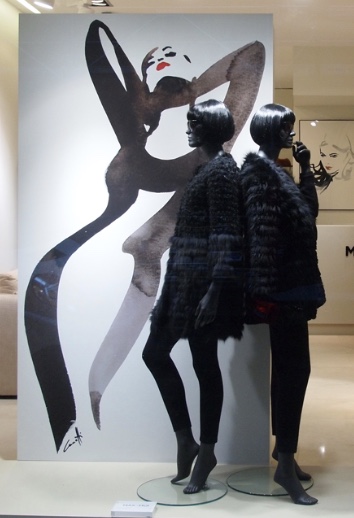
Michel Canetti MA – An Australian Artist for his fashion illustrations and large scale
minimalist paintings employing a digital art projector

Saatchiart.com/canetti
modelsociety.com/Artist/Michel-Canetti/photos

Topic 8 – Interviews with Artists on their Attitudes to ‘Digital Art’

Artists who have agreed to be interviewed:

Stephen Farthing RA, MA (RCA) – Former Professor of Drawing at Oxford University and now of UAL. For his work Drawing and Painting and his discomfort with digital art
‘Plan de Dessin, A Drawing of the Bigger picture of Drawing’, Autumn 2006
‘1001 Paintings You Must See Before You Die’, Stephen Farthing, Universe, September 2011

Kate MccGuire, MA (RCA) – Who creates feather sculptures based around parts of the human body
Saatchigallery.com
Kate MccGuire, Stolen Moments, Spine TV, 2011Surface Design, Nature Bound , Unexpected Beauty, Spring 2014
Kate MccGuire: Nature Bound, Jessica Hemmings, SDA Journal, Spring 2014

Patrick Gibbs, BFA (Oxon) – A painter who uses digital photographs taken during his travels for inspiration
minstergallery.com Everyday lives, exotic lands at Mall Galleries London SW1, 29/4/14-3/5/14
Artist Profile – Patrick Gibbs – Out & About – Hampshire-Life.co.uk, 23/12/13
redraggallery.co.uk/artist-patrick-gibbs.asp

Richard Colson BFA , MA – A traditional painter and author of a book on digital art who
also leads the Computational Design MA at Ravensbourne University
‘The Fundamentals of Digital Art’, Richard Colson, Ava Academia Publishing, November 2007

This list will be added to over time as opportunities present themselves. Potentially:

David Byers Brown, MFA (Oxon) – An artist whose forte is Drawing but switched to Painting and now teaches Animation at Kent University
saatchiart.com/dbb2

Topic 9 – Key Hardware and Software proposed for my projects

a. Key Hardware

MacBook Pro, Retina15-inch with Intel Core i7 Processor & Intel Iris Pro Graphics
iMac late 2009
Apple iPad Mini 2 for Photography and with attached Occipital Structure Sensor Scanner Wacom Intuos Pro Large Graphics Tablet and Pen
Autograph LED1000 Digital Art Projector
Bare Conductive Arduino MicroProcessor with SD Card Reader preprogrammed for MP3
Micca Speck G2 1080p Full-HD Ultra Portable Digital Media Player for SD Cards
Zoom H1 Handy Recorder and accessories including Lavalier Microphone
LG Hi-Fi Sound Bar
Laser Cutter (from CCA)
H+ Technology Holus Pro Holographic Display
Leap Motion

b. Key Software

Itseez3D Scanning Application with processing in the Cloud for creating 3D models of the Human Figure from Life
Cinema4D Release17/Bodypaint3D for painting 3D models of the Human Figure in 3D
AutoDesk 123D MAKE for Laser Cutting Preparation and Input, and 123D CATCH for creating 3D Models of the Human Figure from Photographs
Painting With Light, Projection Mapping software by Alex May
DAZ3D Studio and MarketPlace for posing pre-made 3D Models of the Human Figure
Poser Pro 2014 advanced software for posing pre-made 3D Models of the Human Figure
Reallusion iClone6 and accessories, with Bootcamp (to run Windows 10 on MacBookPro) for 3D morphing, posing and animation of pre-made 3D models of the Human Figure
Turbosquid for very high quality pre-made 3D Models of the Human Figure (if necessary) Processing for programming of Arduino microprocessor (if necessary)

________________________________________________________________________
Version 1.0: 3rd November 2015

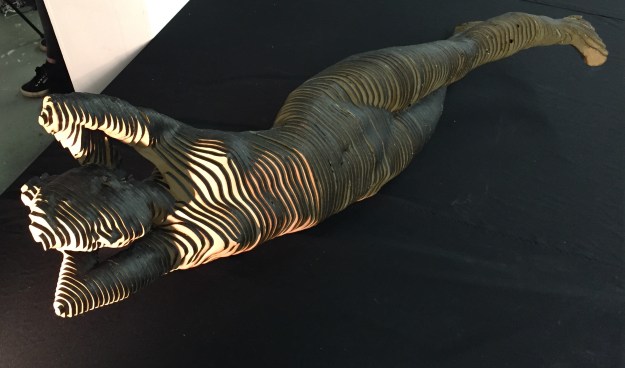
First Crit Tutorial


The range of projects our on-line group are undertaking is amazing. I do not quite understand some of them but no doubt all will be revealed during the course of our studies and conversation. For example, to quote a passing comment in this tutorial, ‘I just pushed to the CDN, so hopefully it has updated the interwebs’ is sadly meaningless to me, but obviously enlightening to Jonathan and perhaps to all of my fellow students.

It reminds me when I first started a long career in IT – whenever my colleagues went to the pub after work all I could understand during their conversation was the in between bits like ‘the’ or ‘therefore’! But I got there in the end and no doubt eventually in turn confused a lot of other new recruits with my own IT jargon, so I guess I will get there too with digital art speak.

David’s work is concerned with hybridity. For my benefit I quote his explanation: hybridity is ‘the marriage and blending of different worlds and exploring the anxiety and/or harmony that can be produced: the ground vs. the figure; execution in digital vs. analog medium; abstract hard-edged geometric chromatic color fields vs. multi-colored textured grounds’.

He showed us some recent work which involved using his own code to turn his doodles, or weaved yarn into a digitally textured pattern, and even turned one into a new art brush for Adobe Illustrator. He uses Drawbot to achieve this and Patrick suggested he could also use SketchApp. Finally David applied Adobe Illustrator to amongst other things manipulate the image to produce his finished work. Affinity designer was suggested by Jonathan as a much cheaper alternative to Illustrator, and Leonie thought that you would get even better finished results with Photoshop. So that’s at least most of my group that deeply understood what was going on. The words used, which began by creating a barrier to my understanding, however become much clearer when I saw the work. Very clever stuff.

I was up next with ‘Giving the model a voice’. Please see my previous blog for an explanation which I won’t bore you with now by repeating here. I very much go along with Prof Paul Coldwell’s approach to communication. When starting his recent lecture to all the Camberwell MA students he said (I paraphrase) that he prefers not to use the specialised vocabulary and phrases of  art academia. So please forgive me if I follow his example (I am not sure I could do otherwise).

I received a lot of feedback about the viewer touching parts of the body in my painting.

David raised the interesting prospect of a random narrative by touching the same part of the picture. If I was as familiar with coding as David, Patrick and Leonie perhaps I could attempt this good idea. However I have deliberately chosen the BareConductive touch board because it does exactly what I originally proposed without coding. Later Leonie said that it had taken her several months to get to grips with Processing in order to do her work. Perhaps for my final exhibition I may have conquered Arduino programming enough to be in a position to adapt this piece of work to use a random narrative.

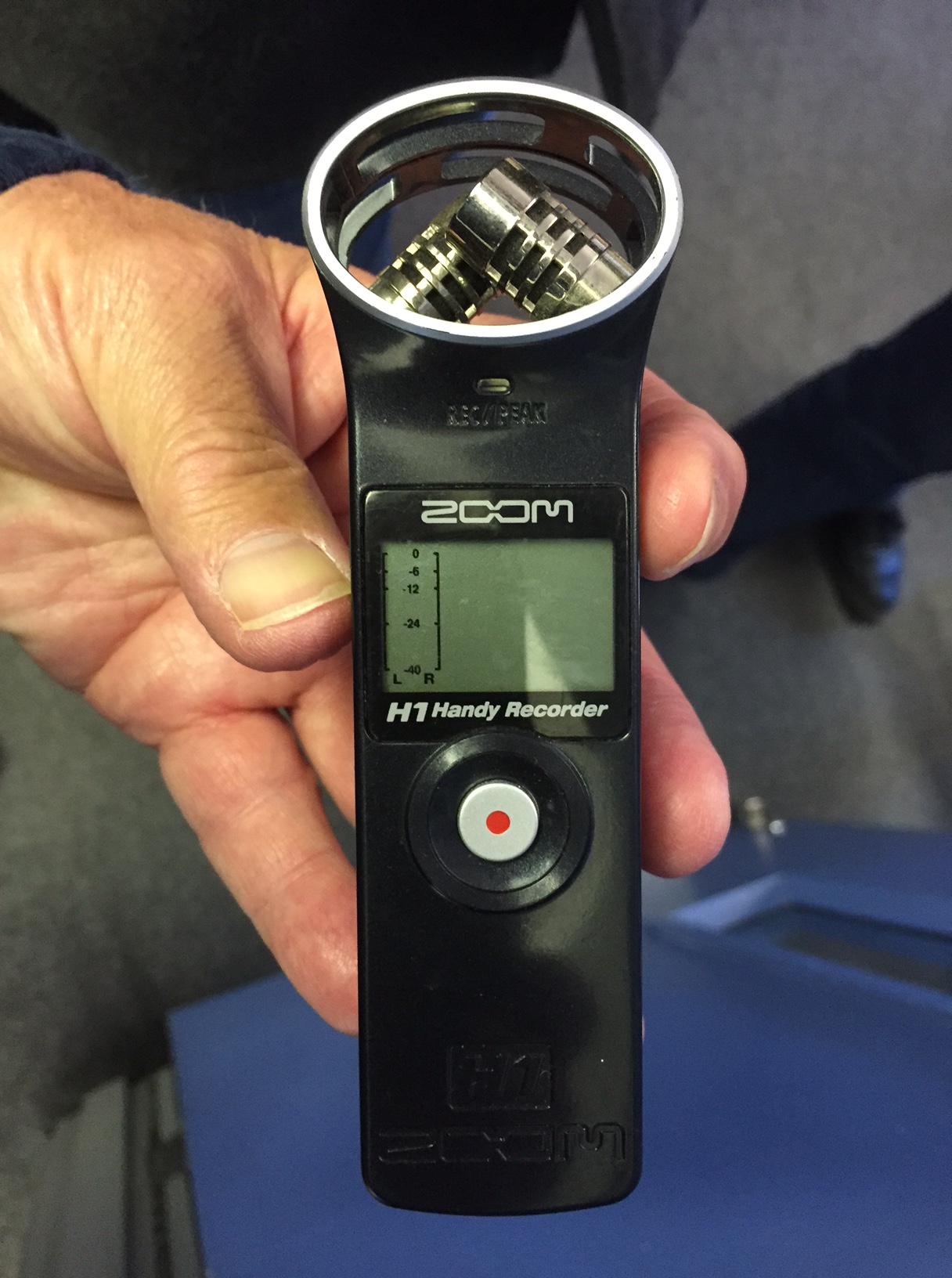
Jonathan offered some welcome comments on the zoom H1 audio recording device I have chosen which he said is very good and very easy to use. I can also easily plug in a cheap ‘Lavalier mic’ into the zoom H1 and place it near to the mouth to pick up the more focused sound of Vanessa’s voice that I am looking for.

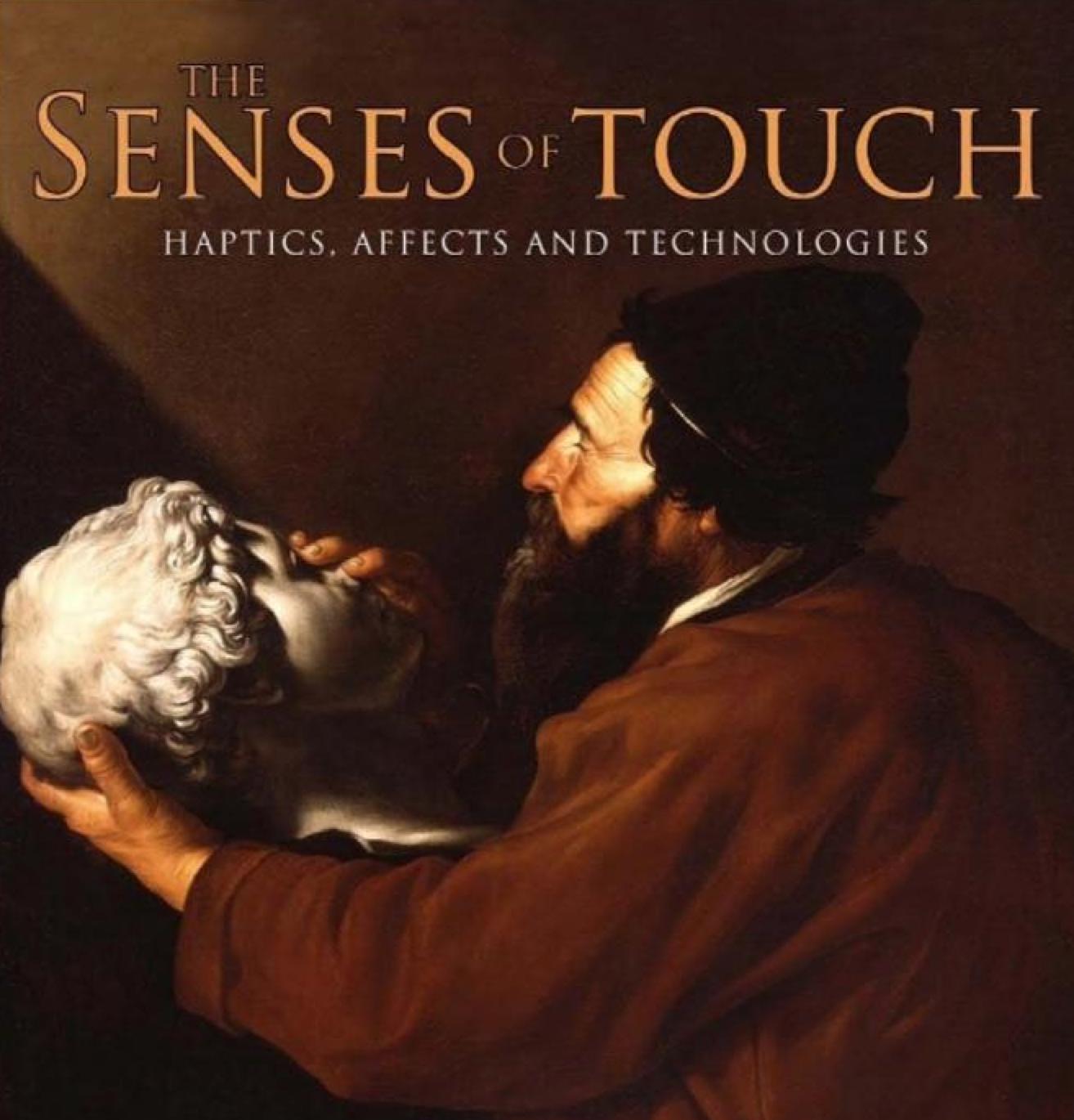
Leonie and Katerina were very interested to see how I connect what my model says to what area is touched (although David suggested that the touch board can operate at a distance). I had not thought of that, but it depends whether Vanessa picks up on this in her narrative. Perhaps I will mention this to her. Leonie also helpfully suggested a book – The Senses of Touch: Haptics, Affects and Technologies to help research about the connection between the recordings and the body parts.
                                                                                                                                                                       
A Sense of Touch
                                                                                                                                                                
I said that I was used to drawing rather than painting, and both Leonie and Jonathan raised the question of whether I am sure I want to ‘paint’ in a different style to what I am used to? Leonie
thought that my charcoal sketches would be very tactile and maybe they could be allowed to be ‘touched’ too, even though she might smudge the painting and get charcoal over her fingers! That is resolvable but charcoal is not a good conductor of electricity and that is why I am using a derivative – conductive black paint. It may be different if I was drawing in graphite which is very conductive but this will not achieve the effect I am trying to produce particularly at a life size scale. Jonathan suggested using conductive paint over a photograph. A good point which I may have to resort to if I fail in my attempt at painting Vanessa in a minimalist style following guides for my mark making in black and grey tones on a white canvas with the help of my digital art projector. This should hopefully make this painting easier for me. I am determined to try.
                                                                                                                                                                
Patrick’s current exploration is ‘of what nowadays constitutes an interface?… and of taking various inanimate objects or physical elements across the threshold into the digital realm’.
He has made a perspex (deliberately chosen so you can see through it) box of earth. When you press on it it generates one of hundreds of numbers, which can, using a microprocessor such as an Arduino, produce many different sounds or images. He also did something similar with leaves, touch and sound but on a small scale which he wants to enlarge by including other parts of the tree each with their own speaker eventually to fill an entire exhibition space. All I can say is WOW!
                                                                                                                                                                
I have yet to complete this blog with Sarah and Leonie’s work, both of which are extremely interesting and so different from that of everyone else. I also can’t wait to hear about Katerina’s too which because of time had to be held over to next week.

Starting My First Digital Project – Giving the model a voice

This first project is one of a series showing the progressive adoption of digital technology in my life drawing practice. ‘Giving the model a voice’ aims to make the model part of the work not just the object of it. Instead of silence during the pose, and when the viewer sees the work, my aim is to literally bring this drawing to life by the inclusion of the model’s narrative in her own voice and thus her personality into the picture. Her name is Vanessa and she is a classical dancer.

Vanessa

Vanessa will record her thoughts and feelings before, during and after the modelling session. She can say anything she likes. Perhaps, mentally adding things to her shopping list while she poses, or berating her boyfriend in her head for forgetting her birthday, or going through steps in her mind for her next dance performance. The plan is for an everyday narrative, not a serious statement. But it’s up to Vanessa to decide how she wants to portray herself in the artwork (and she will be jointly credited for it, alongside myself as the artist). Vanessa says that she thinks deeply about a lot of things when she poses. Snippets of Vanessa’s narrative will be played when the viewer touches different parts of her portrait.

I will be having a practice voice recording session in the Digital Media Department (with help from Tim, our resident sound expert) to test for the optimal way to achieve the best quality. This is scheduled for Wednesday 28th October. I will then need to teach Vanessa how to use the voice recorder (its not easy!) as she will take it home with her between studio sessions. Before that I will need to understand how to use it myself, so it is coming with me on holiday to Spain tomorrow (where I will be during our on-line Crit session next Tuesday afternoon!).

IMG_9534

Tim will also assist me at a later date when I need to edit the recordings to divide the narrative and transfer them to micro cards. These will be inserted into micro card readers attached to a pre-programmed Arduino linked to my hi-fi.

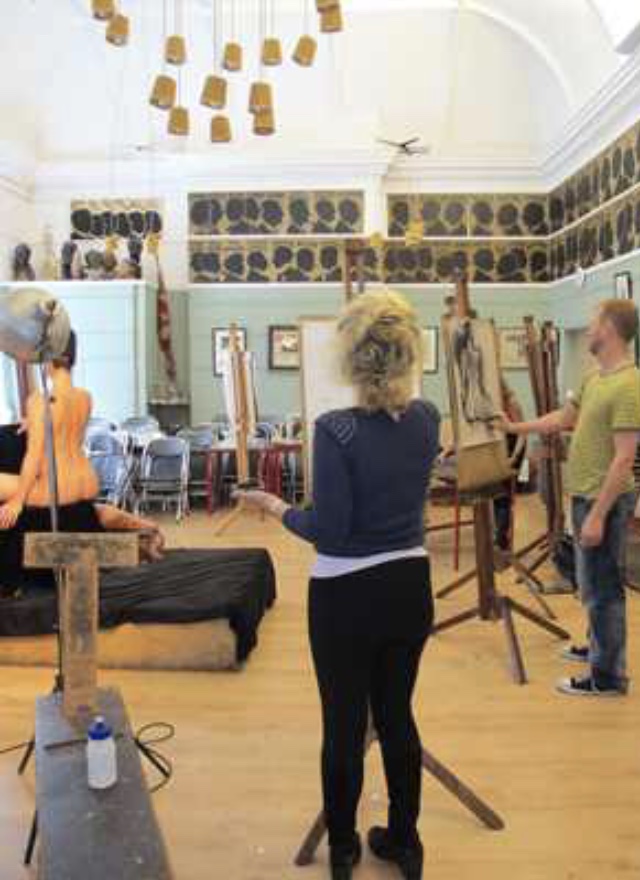
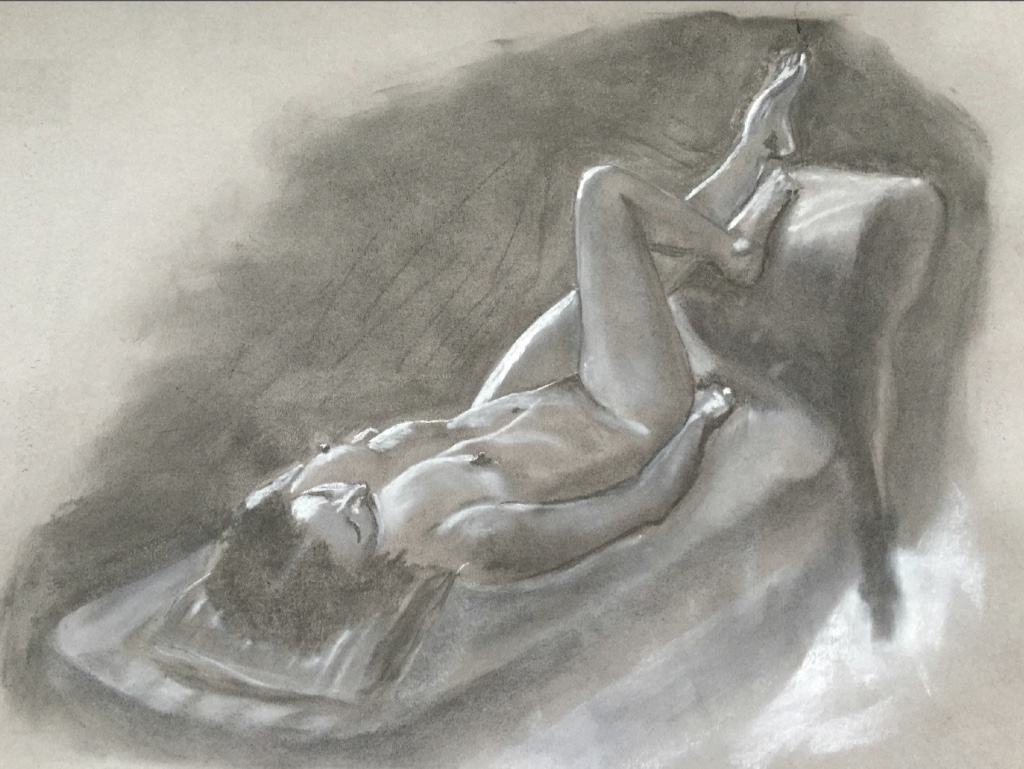
So we start with a life drawing in the Cheyne Drawing Studio in Chelsea which is booked for our sole use together with the resident art tutor on 30th October and again on 5th November. I will draw Vanessa in mainly black and white in charcoal and white pastel on a sheet of A1 or A2 cartridge paper or gunmetal coloured card

thumb_IMG_9526_1024                      thumb_IMG_9049_1024

Cheyne Drawing Studio                        An earlier portrait of Vanessa – I will draw in the same style

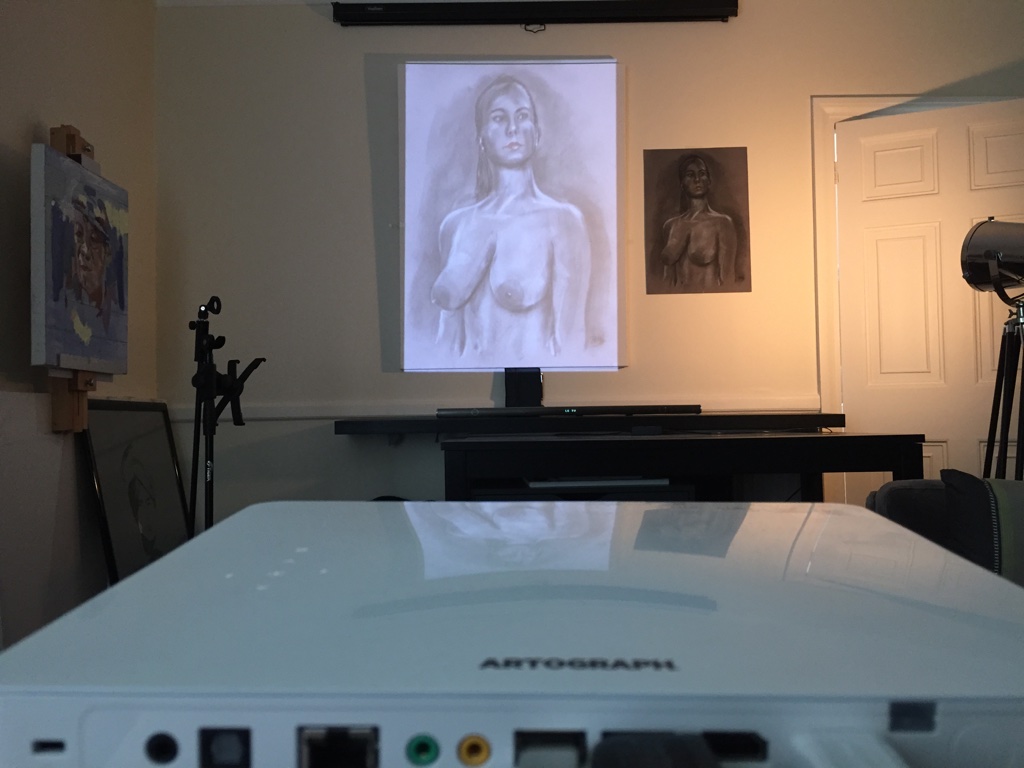
After the Cheyne Drawing studio session the portrait will be blown up to life size by projecting a photograph of it on to an oversize canvas. I will then mark out the areas I want to paint. I am still unsure where to get the canvas from as the largest I have been able to get from Cass Art is big but not big enough. Then I have the problem of eventually transporting it from home to Camberwell. Perhaps instead there is a CCA studio where I can produce the painting on the very large canvas, and store it there until it is needed for the next Camberwell MA Exhibition in July 2016?

thumb_IMG_9204_1024

I have decided to make the final portrait in an Art Nouveau (ish) style. Part of the reason for this fairly minimalist style is that it is sensitive to both the model and viewer as parts of the painting will be touched and the experience is less voyeuristic than it might have been if the original true to life drawing was used directly. It also lends itself to painting isolated areas in conductive paint.

I will then paint the picture and hopefully it might come out something like this. This is the hard part for me! I have never done anything quite like this before. I usually draw not paint.

thumb_IMG_9533_1024

Each area of conductive paint will be connected through the canvas to a terminal and it’s associated micro card reader attached to the Arduino – which will be hidden behind the floor standing picture.  When each area of conductive paint is touched by the viewer the Arduino will send a different narrative of Vanessa’s recorded voice direct from the associated micro card reader to my hi-fi. This pre-programming is already inbuilt in the Arduino supplied by BareConductive (thank you again Grace Attlee, first year MA Illustration).

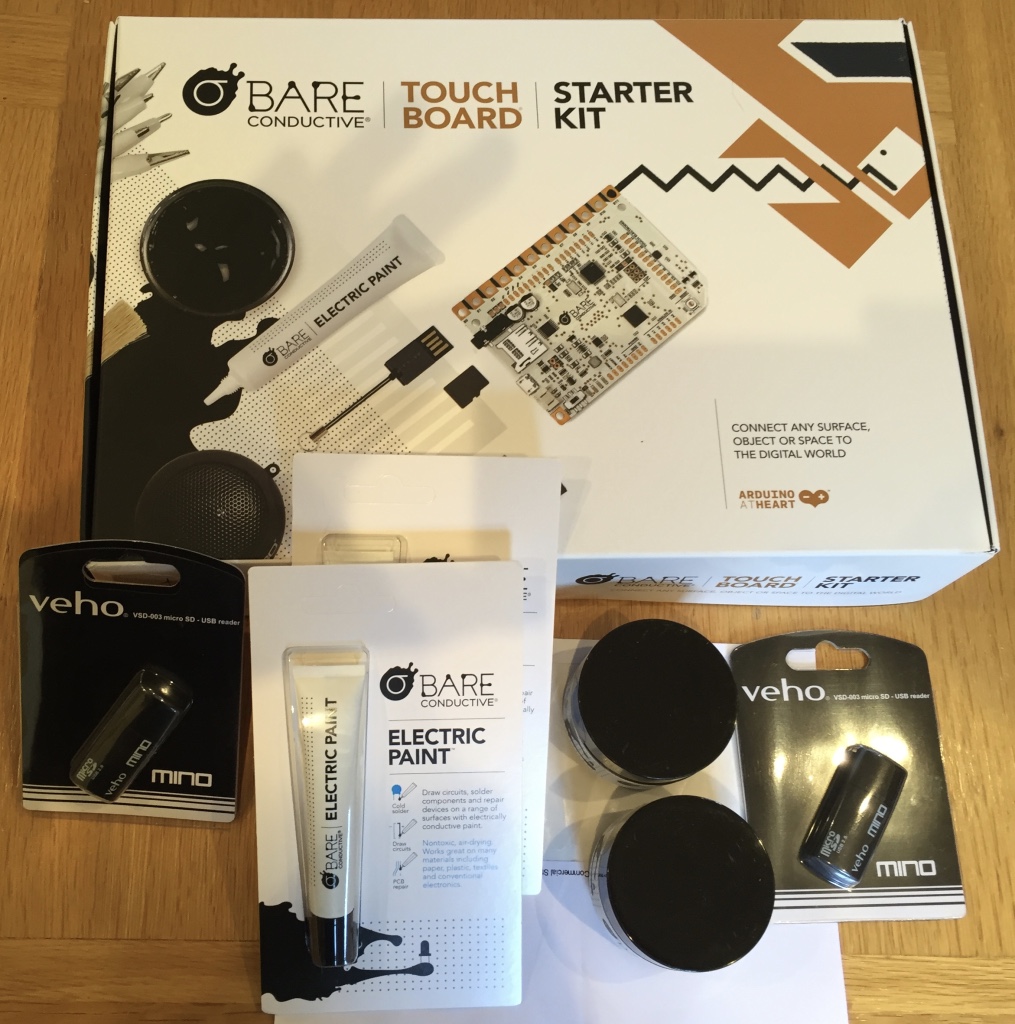
This is the reason I acquired the Arduino from BareConductive as it saved me from having to learn to program it in Processing (see previous blog). I will of course test this entire set up on a small canvas before attempting to start the large painting. I will also talk to Patrick at BareConductive who Grace advises can tell me about various techniques for painting with conductive paint (as Henry Ford once said about his cars – ‘ you can have any color you want as long as it is black’). My Bare Conductive starter kit with extra paint and micro card readers can be seen below.

thumb_IMG_9524_1024

So lots of toys to learn to play with and hopefully I will produce a great piece of digital art work. My very first. Here goes!

Why start your research in the library?

What would be the reaction of our MA assessors if our reading references in our bibliography was BLANK? If our research was ALL from PRIMARY SOURCES such as interviews, survey’s and the like? Not an entirely possible approach but something that I would like to skew my research sources towards.

What is my research question? Why and how traditional artists’ adopt (or resist) new technology – which I will use to contextualise my traditional life drawing practice.  For my final exhibition I will contrast an example of my current work with pieces that progressively take advantage of some of the latest developments in digital technology.

So I am adopting one of the techniques I used in business: Networking. I have only just begun.

Firstly start at the top. The UAL Professor of drawing Stephen Farthing, RA – previously the Professor of Drawing at Oxford University. After attending his tutorial at the University of London yesterday he kindly agreed to meet me when he comes back to the UK in November. We will see where that takes me. I will ask him for two more contacts to talk to. And so on.

Secondly, use your current contacts and the same approach. So far: A painter, author on digital art and course leader for MA Computational Design at Ravensbourne University; A very successful painter who makes a living from his art and takes over a prime London Gallery for a week every year to exhibit and sell his work; A sought after installation artist whose work has been exhibited by Saachi, and who gets invited to show her work at major exhibitions including this year the Venice Biennale and shows in London, Paris, Berlin and Vienna; A recent MA graduate who is now working in one of London’s best known galleries which amongst others represent one of the World’s best digital artists.

I must start to read the books on Research that I have taken from our libraries and renewed three times. Or should I? Perhaps I will.

In the meantime any more suggestions for contacts will be gratefully received.

Processing Tutorial

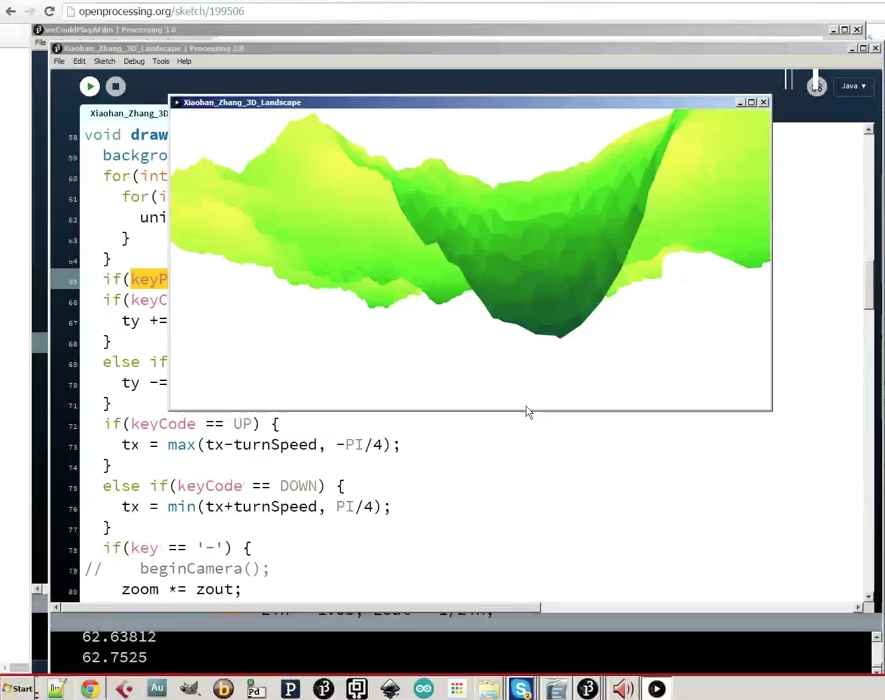
Hi all MA Fine Art Digital online colleagues. As promised here is my recording of the Processing Tutorial by our Associate Lecturer Ed Kelly on Tuesday 13th October 2015. I suggest that you turn your sound UP. As you know the sound is somewhat crackly and the host computer goes down a few times. Enjoy!

Processing

La Cuenta Por Favor (The Bill Please)

I have come up against the first limitations to my Study Proposal project ambitions: Cost, CCA workshop resources and Time.

You may recall that I already have, as my starting point, a framed picture of the life model I am working with, so no extra cost there. My next two projects showing progressive moves into digital (the one’s Jonathan thinks I can accomplish for my MA) however involve some not inconsiderable expense.

The two projects I am referring to are: The floor standing life sized drawing of my model in Art Nouveau style where the model’s narrative is heard by the viewer by touching parts of the painting; and the large sculpture of her in angled slices through the 3D model made of MDF which will be painted with light possibly using a video of the model (a dancer) going about her everyday life. My aim is to use digital means to bring life, dynamism and 3D to what is otherwise a static drawing and to involve the viewer in the work.

For the first project I have just acquired a starter kit from BareConductive including some conductive paint and a pre programmed Arduino that together provide the means to give my life model her voice in the work. I will no doubt need additional paint and media input devices as I start to build the artwork. Fortunately I can use my existing digital art projector to mark out the outlines of my painting while maintaining perspective on the large canvas. Also my existing hand held voice recorder together with my hi-fi audio equipment to record and play the sound. However, I have yet to pay for the model and a private studio for the sitting (as life drawing at Camberwell is a group activity and the model would not be up for being scanned in these circumstances), and get a life sized canvas as the large ones I already have (the largest available from Cass Art) are too small. I am still up for this though and the life drawing sessions are already booked starting at the end of October.

For the second project I have already downloaded free student versions of the software needed (Itseez3D for scanning, Cinema4D/Bodypaint to hold the 3D model from the scanning process, and Autodesk 123D MAKE for producing the input to the laser cutter). I already have a hand held 3D scanner (Occipital Structure Sensor which I ordered from USA, and an iPad Mini with retina display) and I have purchased the Painting with Light software (for Projection Mapping) and taken an introductory on-line course in its use (comparatively with the other costs a very reasonable £65 for both). I am relying on Jonathan organising a full day Projection Mapping with Alex May during our Low Residency in order to get to the proficiency level needed to accomplish this aspect of the artwork. I also looked into the Raspberry Pi microprocessor option recommended by Alex May for displaying the video in a continuous loop but it is more complicated to make work than I anticipated. So I have found an alternative. This is the Micca Speck G2 1080p Full-HD Ultra Portable Digital Media Player for USB drives only available from USA from Amazon.com and costing 40 USD including import tax. So I have asked my sister to get me one for my birthday next week. A small but necessary saving.

Then I paid a visit to the Wilson Road 3D Resource Centre (the part for post grads only). I met Neil Moonstone who is the manager of this facility and Gillian Duffey who looks after the laser cutter.

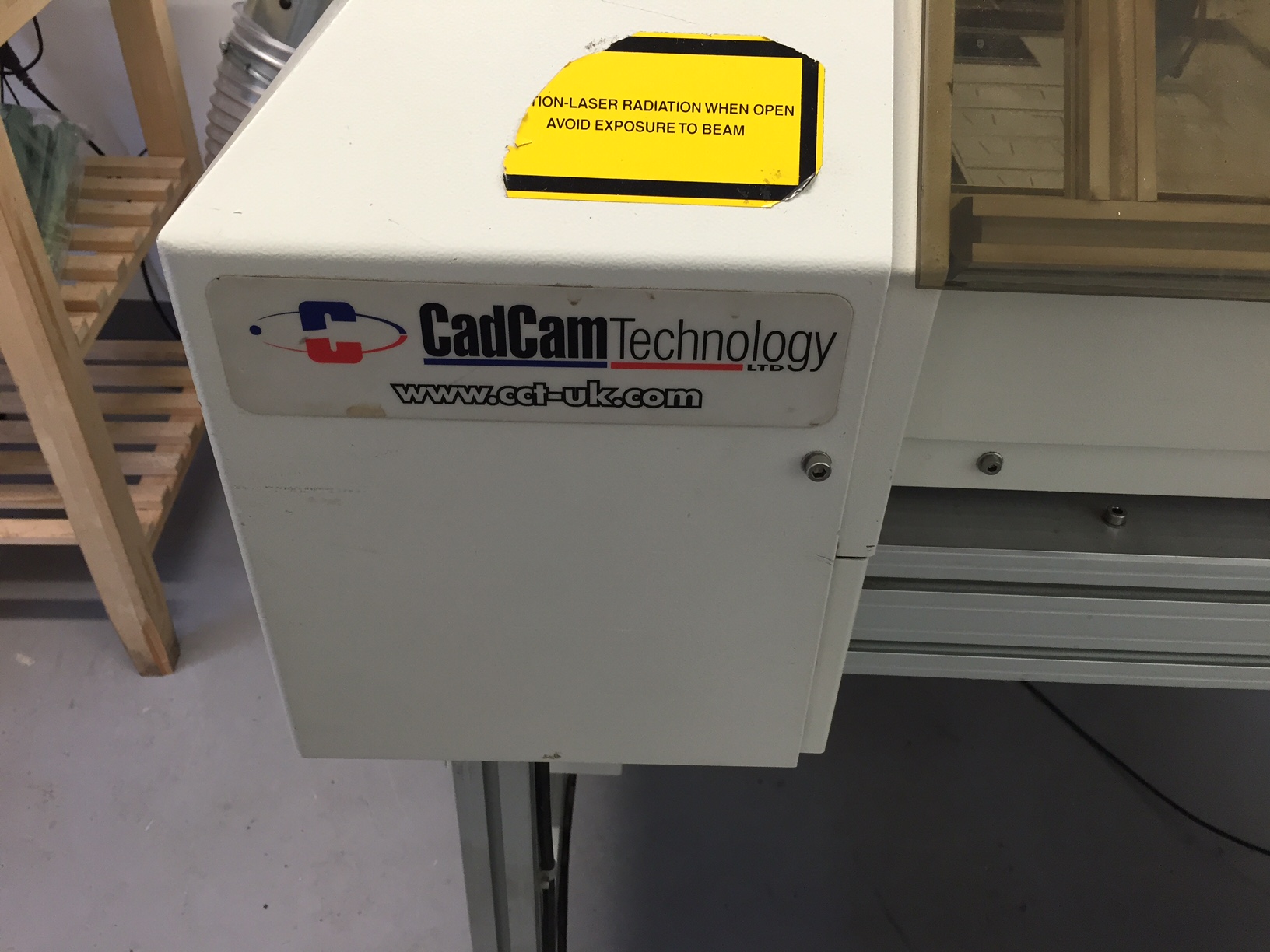
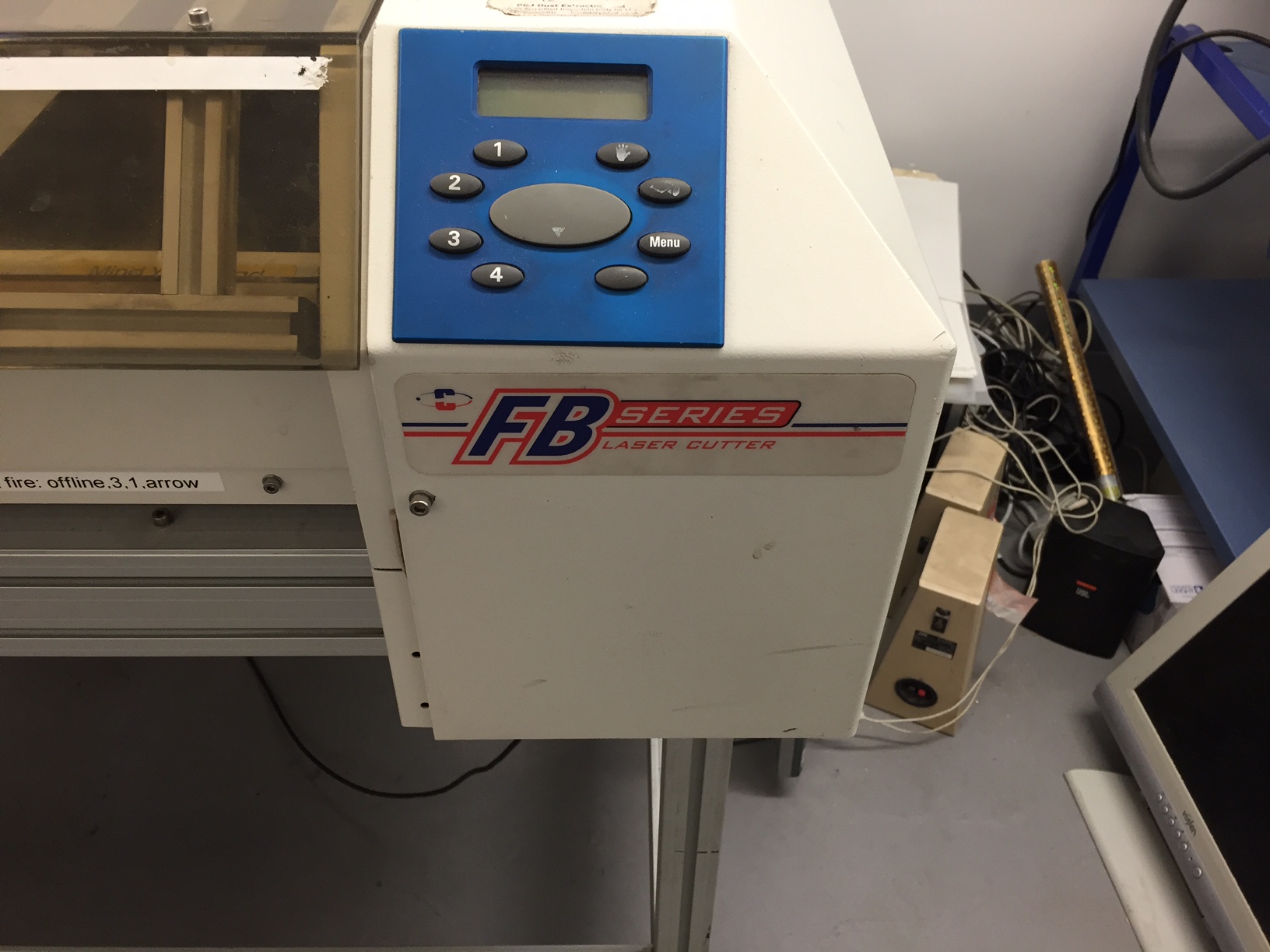
Laser Cutter 1     Laser cutter 2

I had already sent both of them a brief for my project but neither seemed to have received it. So I sent it again to Gillian. However as she does not yet have a mobile phone or a computer (presumably supplied by the University) its a bit difficult to communicate with her at present  except in person at Wilson Road during the three days she works Mon-Wed. The facility is in the final process of being transferred from Peckham Road and at the time of my visit during the first week of October they were not yet open for business nor taking bookings. Our first formal introduction to the laser cutting workshop is not until 27 October but even then its in the diary as ‘EFT1 – lasercutting?’. Note the ‘?’.

I asked what format the file for the laser cutter needed to be in. Neil said it worked well with another piece of software for 2D drawing that I am not using (Adobe Illustrator), and Gillian said that she thought it could be FBX but was not sure. Gillian also said that it would take an hour to cut one small sheet of MDF 6mm max thick (£3.25 a sheet from the CCA Art Shop in Peckham Road – I need at least 50!!!). Also that MA students were allowed to book 1 hour a week which must be during the 3 days that she is around and when its not used for workshops. That means it would take me at least 50 weeks to produce my final work. i.e the entire time of my MA assuming I went every week, and not allowing for prototypes or mistakes!! I suggested that this really only allowed me to use her facility for making small prototypes of my sculpture. Gillian said that she knew that another student used an outsourced facility that did not cost full commercial rates and that she would try and get the name of it for me. Its in Hackney so only a two hour journey each way for me and even more cost. Heh Ho.

I took pictures of the Laser Cutter and looked up the manual on the manufacturer’s website. Apparently it says it can cut up to 9.5mm thick (not 6mm) and does take an FBX format input. I then checked what FBX C4D Release 17 (the latest and only version available to download for free as a student) uses. Its FBX 7.4 2014 (even though there is a version up to FBX 2016). I know that 123D MAKE can take the FBX version from the scanner, and so can C4D, so I later asked Gillian (in another email) which version of FBX her laser cutter can accept. I have also contacted the manufacturer. I am waiting for an answer from both. Nothing is easy.

Finally, to my other two projects which must from now on sit on the back burner so I will only review the assets I need to undertake the work.

I already have a Leap Motion device and paid for a Holus Holographic Display (which I ordered from Canada and is first available and due for delivery to me in March next year). However I have found a new technology Holoflex that may work even better (but probably cannot use as I have already acquired something else).

holoflex

I also have recently acquired an Intuos Graphics tablet and a MacBook Pro with a super fast graphics processor. What I didn’t have were the ready made still and animated 3D models which I would then paint. The Leaping over chairs model I referred to in my last blog I found cost 699 US dollars before conversion from Maya to C4D and that also requires a lot of rework afterwards (caused by FBX version differences) which I would have to outsource. So a step too far. I have therefore spent a lot of time looking for alternatives.

I managed to find iClone software from Reallusion Inc which allows cloned animated 3D models to be relatively easily modified to suit my purpose. Sadly this only runs in Windows and therefore I need a PC to run the application or run it in emulation on a Mac using Boot Camp software (with use and performance implications). Fortunately my mother in law no longer needs her PC VIAO laptop (although it will probably need upgrading to adequately cope with the demands of processing graphics). Additionally  I discovered that a student version costs 599 USD while a free download only lasts 30 days! A month’s use may have to be enough, but I have written to the USA supplier about the possibility of a longer loan and to clarify the looming FBX version issue for import to C4D.

For my records here is the support response from Reallusion

http://www.reallusion.com/CustomerSupport/UserEx/UQAMsgList.aspx?trackNo=18acfb68-a867-4bf8-b31e-2fd3291e11f7&lang=1

Finally I found and bought 3D animations from SKAMotion that I can manipulate in either DAZ3D Studio (free) or Poser Pro (which I had previously bought for about £100). These 3D models cost another £140 but its done now, and I know that these can be imported to C4D without any FBX issues.

SkaMotion Animation

So I think I now have almost all the assets I need to complete all my projects. At considerable cost which when you include such software as iMindMap for project planning is up there with the first year fees for our MA!

I have now almost completed my Research for Art. Until I have submitted my Study Proposal on 3 November I am now going to concentrate on so far almost neglected Research into Art. I will make a start on Research through Art (making) after that for the two weeks left of Unit 1 of my MA.

So now its Research, Research, Research. Just as well that the six UAL libraries cost nothing to use. Thank God. I’m broke.